Share the post "Garmin Edge 850 Review: The Screen We’ve Been Waiting For, the Revolution We Never Got"
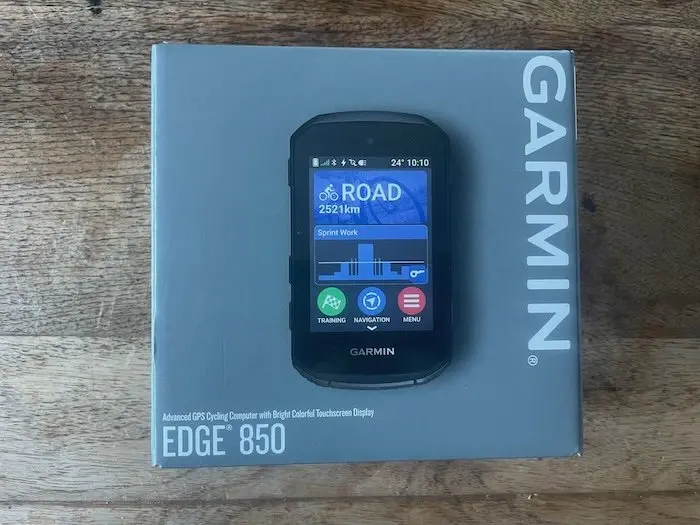
The bike computer market has never been more competitive. Wahoo, Hammerhead, and others have clearly set their sights on Garmin’s turf, and Garmin is responding with a new generation of devices. The Edge 850 is positioned as the compact, high-end model—more modern, brighter, and “smarter.” On paper, it seems to have everything it takes to become the new standard. On the road, however, the verdict is more nuanced.
By David Polveroni – Photos: DR
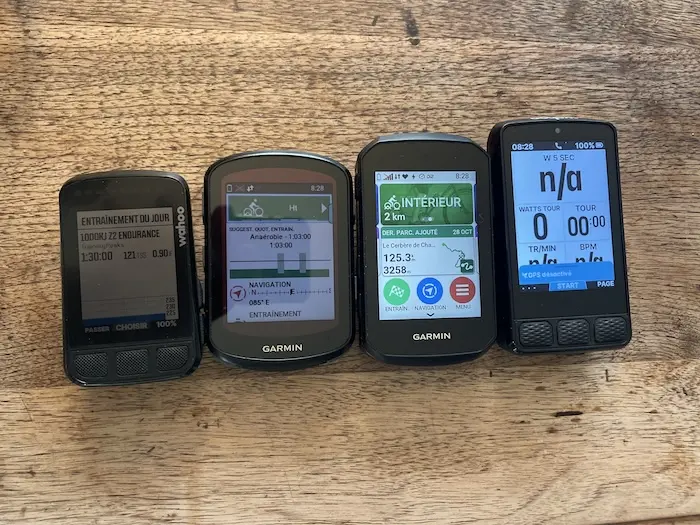
I used the Garmin Edge 850 for about 40 days, covering just over 3,000 kilometers and a ton of elevation gain—about 60,000 meters—which gives you an idea of what I put it through. All of this while using it in parallel, alternating between a Wahoo Roam 3, a Wahoo Bolt 2, and an Edge 540 Solar. In other words, it was pitted against the best the competition has to offer… and even against Garmin’s own products.
=> Buy the Garmin Edge 850 bike computer/GPS
First Impressions: A Garmin That’s Right on Trend
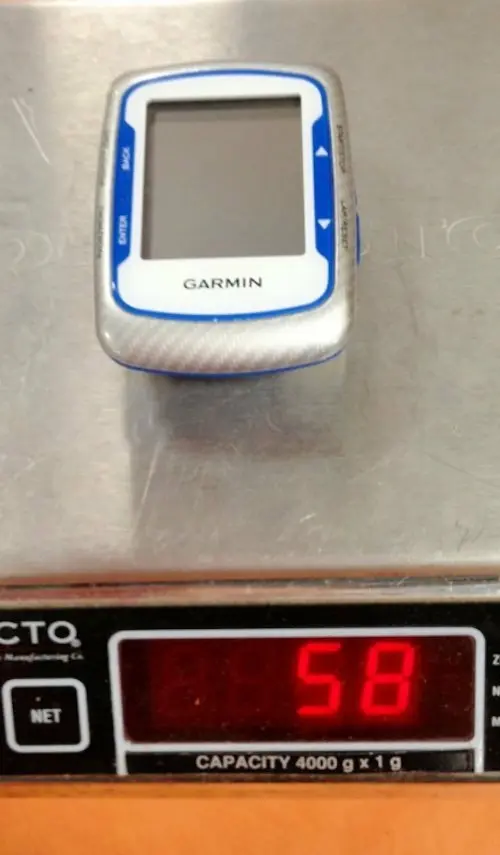
Visually, the Edge 850 is slightly larger than the previous generation. You can tell once it’s mounted on the handlebars, but it’s still reasonable: it’s not quite the “tablet” that the Edge 1050 is, but you can still tell that Garmin is slowly pushing the envelope in terms of both size and weight—at 112 g, it’s almost double that of the original model, the Edge 500 (58 g).
In your hand, you’ll find what Garmin does best: a sturdy case, clean construction, and—most importantly—ergonomics that combine a touchscreen with physical buttons. This is a real plus for everyday use. You can do everything via the touchscreen while stationary—in the garage, for example—as you prepare for your ride. Once on the road—especially when wearing thick gloves or as soon as there’s even a slight vibration—you naturally switch to the buttons. On days when you need to switch screens at the top of a wind-swept mountain pass, you’ll be glad you don’t have to rely on a simple swipe on a damp screen.
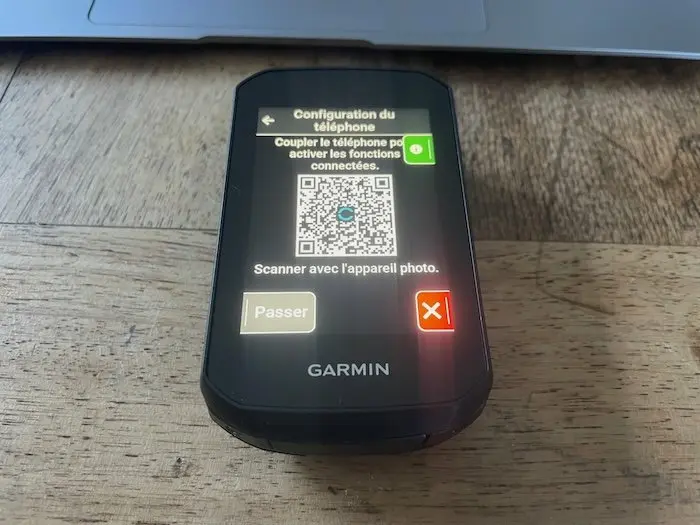
The downside of the compact size is that as soon as the road gets rough, the screen feels small. Navigating the menus or zooming in on the map when things get bumpy isn’t ideal: even the slightest unintended wrist movement makes it harder to use, whereas you’re better off on a large screen like the one on the 1050.
As for the interface, Garmin has updated its design. It’s richer, visually more modern, and smoother. On the other hand, for someone coming from a Wahoo, the contrast is stark: with Wahoo, everything is extremely simple and streamlined; with Garmin, you have more options, but also more menus, more submenus, and a slight learning curve. Once you’ve taken the time to set it up, though, the Edge 850 becomes a pleasure to use.
A screen that makes you want to ride
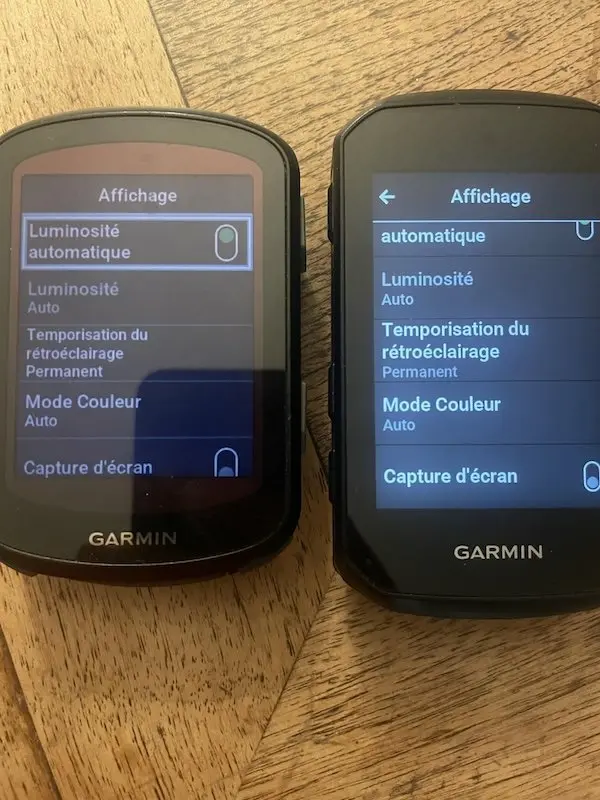
Where the Edge 850 really shines from the very first few kilometers is its screen. In auto-brightness mode, the display is truly crisp: bright, high-contrast, with colors that are effortlessly readable. You can read the data fields at a glance and follow the map without squinting, even in broad daylight. This is clearly an area where Garmin has the edge over Wahoo, whose screens remain duller and less appealing—though the latest generation is definitely catching up!
The downside is that this screen comes at the cost of battery life. As long as you let it run in auto mode, it’s great for your eyes—but not so great for the battery. If you decide to tighten the screws and limit the brightness to 10 or 20 percent to conserve battery life, you really lose out on comfort: the display becomes significantly harder to read, especially during transitional times—dawn, dusk, or overcast conditions. Simply put, the Edge 850 delivers its full visual potential when you let it use as much power as it needs—which makes sense… but is frustrating for those aiming for long days in the saddle.
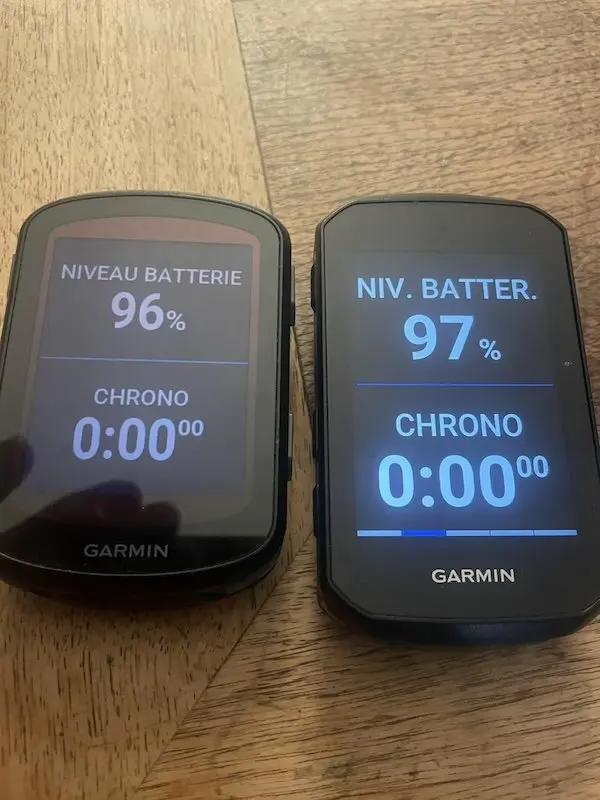
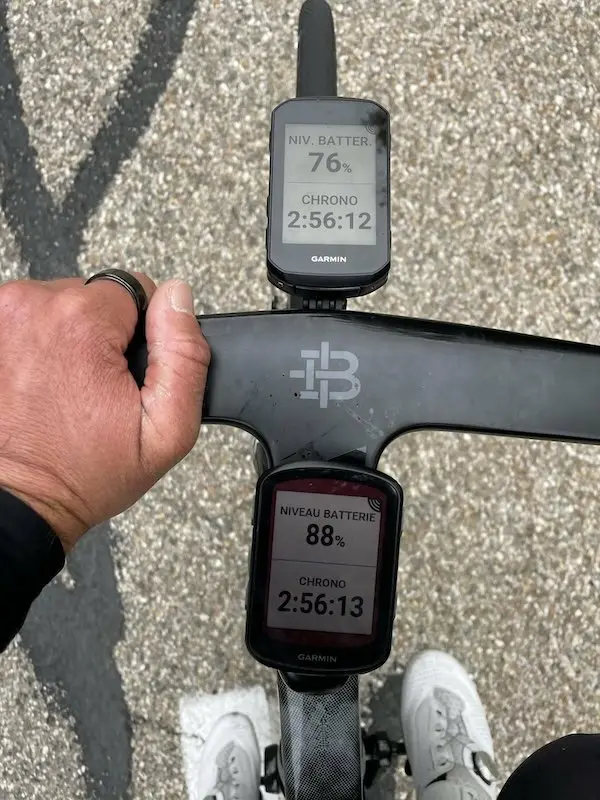
The touchscreen, for its part, is generally responsive and precise. You’ll find yourself using it often while stopped, to set up the screens or adjust a route. While riding, as soon as the road surface gets rough, you quickly realize this isn’t the ideal interface: you end up waiting for a stretch of smooth asphalt so you don’t have to fight the vibrations.
Battery Life: The Fly in the Ointment
This is the area where the Edge 850 leaves a mixed impression—or even a downright disappointing one if you’re coming from a solar-powered model. In my “real-world” setup—auto-brightness, power meter, heart rate belt, Varia radar, and frequent navigation—I get around 10 hours of use before the battery starts to die, whereas my Edge 540 lasts over 20 hours.
On paper, 10 hours isn’t bad. For many cyclists, it’s more than enough to cover a long weekend ride. The problem is the context: until now, I’d been using an Edge 540 Solar, which offered real peace of mind in this regard. With it, I could string together long mountain rides—even over several days—while taking advantage of solar charging to keep the ride going. With the Edge 850, that peace of mind is gone. You find yourself checking the remaining battery percentage, adjusting the brightness, and turning off certain features just to make sure you get home with a device that’s still working and can download your ride data.
This isn’t a deal-breaker if you stick to “traditional” cyclosportif riding—4 or 5 hours in the saddle, a few sensors, and some navigation. On the other hand, for long-distance rides, brevets, or ultras, the Edge 850 isn’t the tireless companion you’d hope for from a high-end model. You’ll have to accept the idea of an external battery—or look into more power-efficient models. Let’s not rule out the possibility of a software update that could resolve this issue, as was the case with the Wahoo ACE when it was first released.
Navigation and GPS: Garmin Remains the Gold Standard
Fortunately, when it comes to navigation, the Edge 850 performs exactly as you’d expect from Garmin: very well. I create most of my routes on Strava, and syncing them to the bike computer is nearly instantaneous. Once on the bike, the maps are easy to read, the directions are clear, and route recalculations are handled smoothly. When you miss a turn or decide to improvise, the bike computer readjusts without any issues.
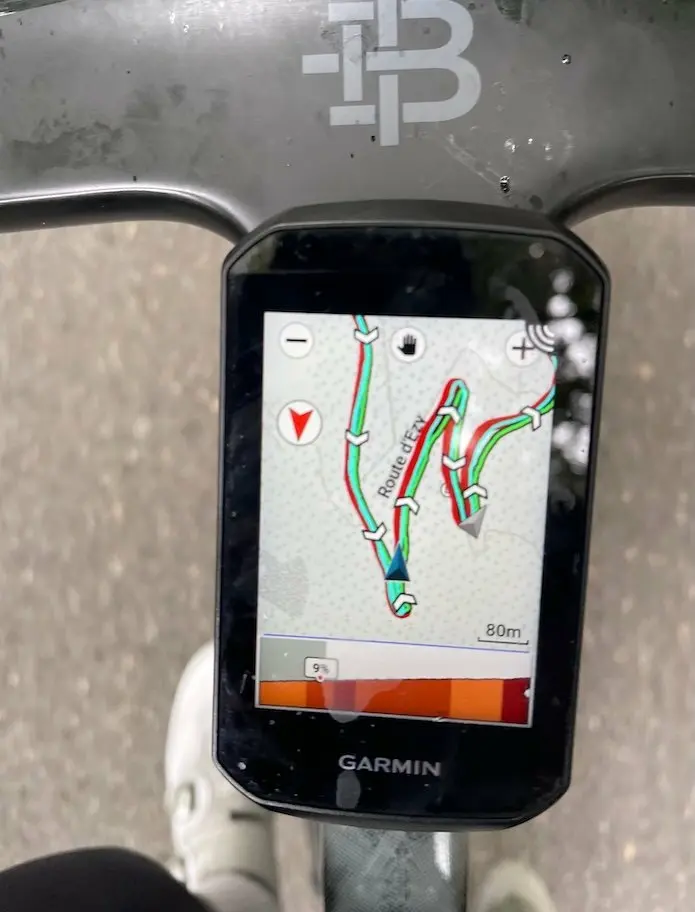
GPS accuracy is one of this model’s strengths. The tracks stay true to the road, and speeds are consistent, even in slightly tricky areas. In this regard, it’s truly a reliable tool, whether in the high mountains or on more traditional routes. The 5 GHz GPS configuration is also a new feature. The GPS updates at a high frequency during descents to prevent errors in tracks, speed, or segments. That said, this feature is debatable: the displayed speed was similar to my Garmin’s, and the descent sections aren’t necessarily useful for those who use Strava segments in real time…
On the other hand, I quickly cleared out all the extra “info” layers: hazard alerts, event notifications—anything that adds visual clutter without providing real value out on the trail has disappeared from my screens. Same goes for the live weather/wind widget via Garmin IQ: on paper, the idea is appealing, but in reality, it’s too complicated to access to be useful while riding. I’d rather plan my ride ahead of time than try to read a mini weather app in the middle of a descent. But that’s just my opinion.
A True Training Partner
Where the Edge 850 really shines for a performance-oriented cyclist is in the training department. There are plenty of tools—sometimes too many—but some clearly stand out from the crowd.
ClimbPro is one of them. When you spend your days tackling elevation gain, it’s a very useful ally: knowing where you are on a climb, how many kilometers and what gradient remain, allows you to fine-tune your effort. It’s a simple tool on paper, but when used correctly, it changes the way you manage your climbs.
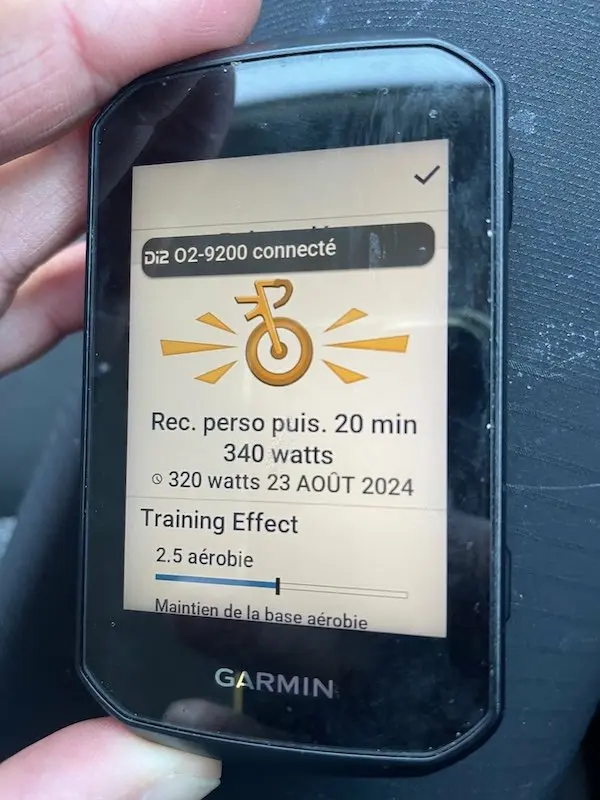
The automatic FTP detection and calculation features are also impressive. The estimates I obtained correlated well with the critical power tests I conducted separately. It’s not a lab-grade tool, but for tracking trends, checking whether your hard work is paying off, and seeing if you’re making progress, it’s perfectly useful.
The Garmin IQ ecosystem also opens the door to more specialized sensors, such as the TymeWear belt that I’ll be using soon, which tracks respiratory rate. For those interested in physiology and internal load, this is a huge plus: we’re no longer limited to just power and heart rate data. One of the athletes I coach has been using the “Electronic Shifting Stats” app—I think that’s pretty cool, too. In short, there’s a whole bunch of tools to take advantage of….
The risk, though, with this abundance of tools and possible screens, is wanting to have everything at your fingertips. You end up with a dozen different pages, and you spend more time scrolling through screens than focusing on your effort. The Edge 850 is a bike computer that requires discipline: you have to choose your key data, be willing to leave some out, and build a simple interface—otherwise, you’ll get lost.
Solid connectivity, mixed results with “smart” features
When it comes to connectivity alone, the Edge 850 is flawless: pairings are stable, fast, and reliable. Power meter, heart rate strap, Varia radar—everything connects without a hitch and stays connected. In this area, Garmin maintains a comfortable lead.
The “smart” features, however, are more divisive. Garmin Pay, for example, simply wasn’t used: the idea of being able to pay for a coffee with your bike computer is appealing to some, but in practice, it’s not a feature that changes everyone’s life. The built-in speaker could be useful for voice navigation prompts, but the volume is too low to be truly practical at real-world speeds. On the other hand, the built-in virtual bell is an excellent idea: in the city or on shared paths, being able to alert other road users without having to shout is very helpful.
I keep smartphone notifications enabled most of the time, except during interval training sessions when I prefer to mute the noise. Again, these are features that can add convenience, but they don’t sway my overall assessment of the bike computer.
Compared to the Competition… and the Previous Generation
The Edge 850 operates in an environment where competition is becoming increasingly fierce. With the Roam 3, Bolt 2, and 540 Solar in the mix, a comparison was inevitable.
What stands out is that the Edge 850 scores very clearly in three areas: screen brightness, overall interface speed, and GPS accuracy. On these three criteria, it matches or even surpasses its direct competitors. On the other hand, it also has three drawbacks that are hard to ignore: a subpar battery, a design that keeps getting bulkier, and a price that’s clearly high relative to what it actually offers over the previous generation.
Another annoying issue that persists from one generation to the next is altitude tracking. In humid conditions, the altimeter still tends to go haywire—a classic Garmin problem. Meanwhile, Wahoo doesn’t have the same issues in this regard. It’s not a deal-breaker, but for a device that aims to be a technical benchmark, it’s the kind of detail that ultimately matters.
Verdict: An excellent bike computer, but not a revolution
As we wrap up this review, the conclusion is simple: the Edge 850 is a very good bike computer, but it’s not the revolution some were expecting. It does almost everything very well: the screen is superb, the navigation is solid, the training features are well-rounded, the Garmin IQ ecosystem is powerful, and the GPS accuracy is flawless. It’s a pleasure to use, and that’s already a lot.
But it’s entering a different market—one that’s more mature, more competitive, and with a very strong track record behind it. Compared to the Edge 540 Solar from the same brand, it mainly offers a better screen and a more modern interface… while sacrificing battery life. Compared to Wahoo models, it offers greater functionality and customization options, but at the cost of increased complexity and a higher price tag.
With a retail price hovering around €550 (depending on the version and bundle), the question isn’t whether it’s good—it is—but whether the price difference compared to the previous generation, or certain competitors, is justified for your specific needs…
The GARMIN EDGE 850 at a glance…Pros: • Very bright, easy-to-read display, especially in auto mode Cons: • Battery life is significantly shorter than that of an Edge 540 Solar under heavy use Sensors: GPS, GLONASS, Galileo, barometric altimeter, gyroscope, accelerometer, ambient light sensor, 5 Hz GPS, multiband GNSS, magnetometer – Dimensions: 54.6 x 92.2 x 16.8 mm – Weight: 113 g – Water resistance rating: IPX7 – Display type: Liquid crystal (LCD) – Screen size: 2.7" diagonal – Screen resolution (width by height): 420 x 600 pixels – Color screen – Touchscreen – Built-in speaker – Battery type: Lithium-ion, rechargeable – Ability to add maps – Map manager with Wi-Fi – Base map: Garmin Cycle Map – Built-in TrailForks data – Internal memory: 64 GB – Waypoints: 200 – Routes: 100 routes – History: Up to 200 hours – Real-time weather map display – Incident detection (including off-road) – Community hazard reporting feature – Connectivity: Bluetooth®, ANT+®, Wi-Fi® – Smartphone compatibility: iPhone®, Android™ – Garmin Pay™ contactless payment – Weight: 112 g – Price: €549.90 – Contact: https://www.garmin.com/fr-FR/ |
Share the post "Garmin Edge 850 Review: The Screen We’ve Been Waiting For, the Revolution We Never Got"