Share the post "Wahoo Elemnt Ace GPS Bike Computer Review"
This winter, Wahoo unveiled its latest high-tech GPS bike computer: the Wahoo Elemnt Ace. Designed for demanding cyclists seeking a clear display and precise navigation, it offers some innovative features while remaining less complex to understand than, for example, the latest Garmin Edge 1050. However, its dimensions and high weight can be a hindrance for competitive use. Here is our review after more than a month of testing.
By Guillaume Judas – Photos: ©3bikes.fr / ©Wahoo
The Wahoo Elemnt Ace stands out with its sleek design and XXL 3.8-inch touchscreen, the largest ever offered by the brand. This screen uses advanced transflective TFT technology, ensuring optimal visibility even under bright sunlight. With its 16 million colors, readability is exceptional. The bike computer offers fluid navigation tracking and unprecedented, or almost unprecedented, data visualization.
This device directly competes with the Garmin Edge 1050 and Hammerhead Karoo in this area, and it is even a little larger. The Elemnt Ace also benefits from 64 GB of storage and 2 GB of RAM, which is more than enough to store a world map.
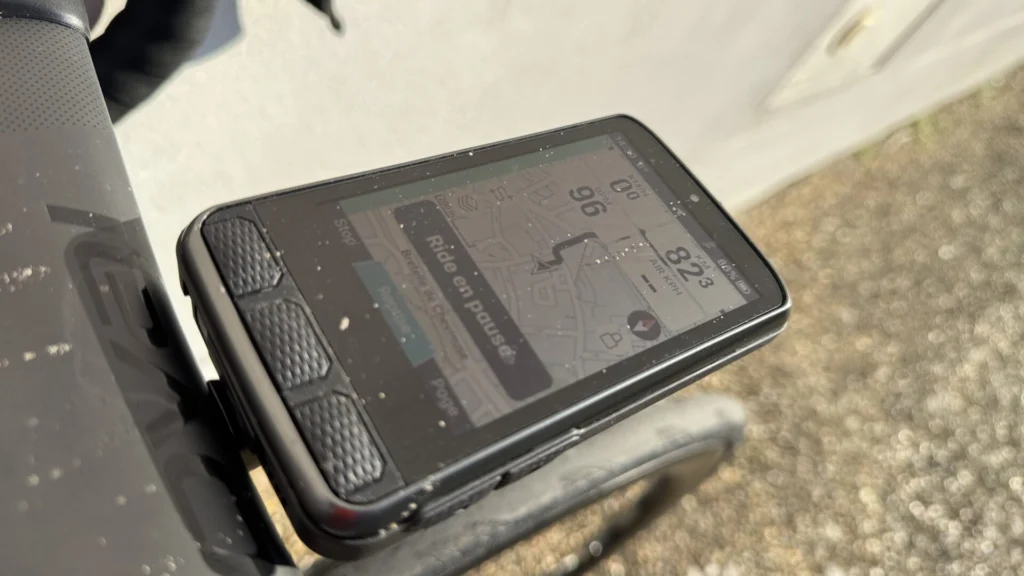
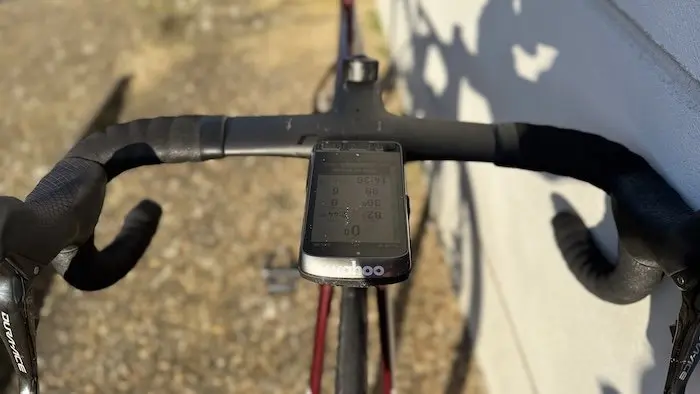
With dimensions of 126 mm x 71 mm x 24 mm, the Elemnt Ace is large, very large. It takes up a lot of space on the cockpit. And it is heavy, at 208 g, also breaking records there. These dimensions and high weight can even pose problems with usual bike computer mounts designed for certain monocoque and/or aerodynamic handlebars.
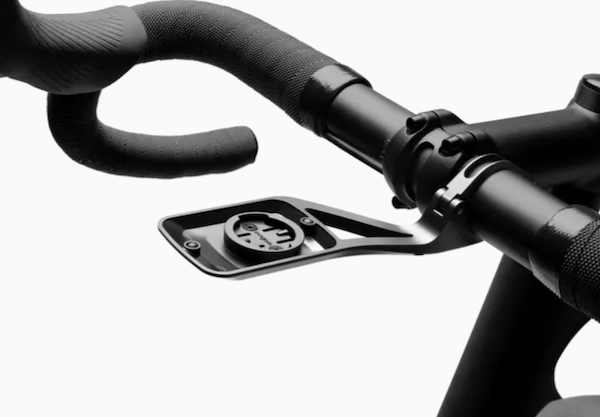
The Elemnt Ace comes with a solid aluminum mount for round handlebars, which is itself quite heavy at 61 g. For comparison, the Garmin Edge 1050 measures 118.5 mm x 60 mm x 16 mm and weighs 160 g. The Wahoo Elemnt Roam, the brand’s previous high-end model, did not exceed 100 g.
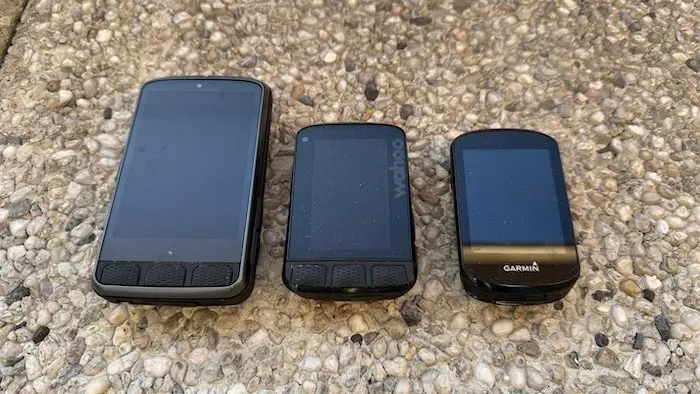
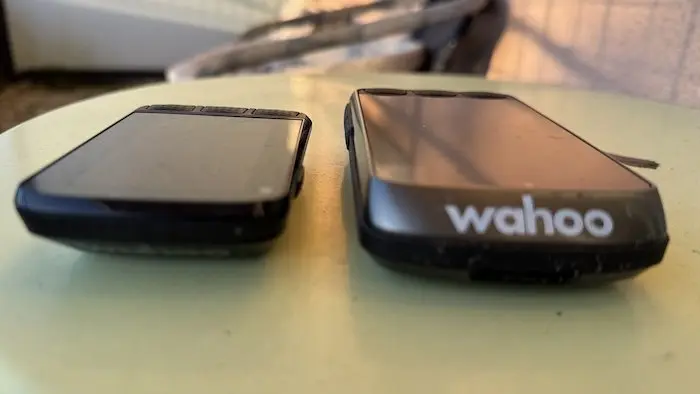
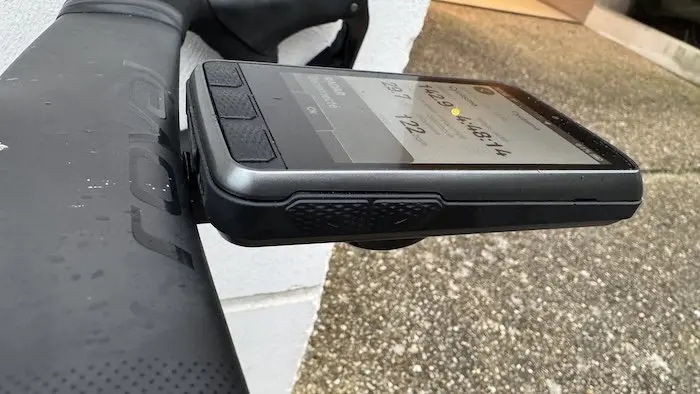
On the sides of the Elemnt Ace are the brand’s usual buttons, even though the bike computer has a touchscreen. We find the three buttons aligned at the bottom of the screen, a power button on the left side, and two buttons on the right side. This is to avoid overly disrupting users of previous Wahoo bike computers and to offer several manipulation options. Personally, I continue to appreciate these “physical” buttons, which are very practical to operate with gloves.
It should also be noted that compared to the Elemnt Bolt and Elemnt Roam, the brand’s other two models, the Wahoo Elemnt Ace loses the two rows of LED lights on the left and top of the bike computer, replaced by scrolling chevrons at the top of the screen when a turn approaches in guidance mode. This evolution did not seem significant to me, even if it undoubtedly facilitates the enlargement of the screen.
=> Buy the Wahoo Elemnt Ace bike computer/GPS
Modern and innovative features
The Elemnt Ace is not just a GPS bike computer. It’s a true control center. It is symptomatic of all the advances made in recent years to support and encourage progress. Here are some of its key features:
Advanced Navigation: Inspired by automotive navigation systems, the Elemnt Ace offers turn-by-turn voice instructions, reducing visual distractions and ensuring safer riding. Detailed mapping and regular updates via the Wahoo app guarantee precise navigation.
With a powerful dual-band GPS, it offers very high performance in this area, whether for following a route or in the case of recalculating an itinerary. Routes can be imported directly from Strava or another compatible application. It is even possible to mark a destination point on the screen map and then let yourself be guided.
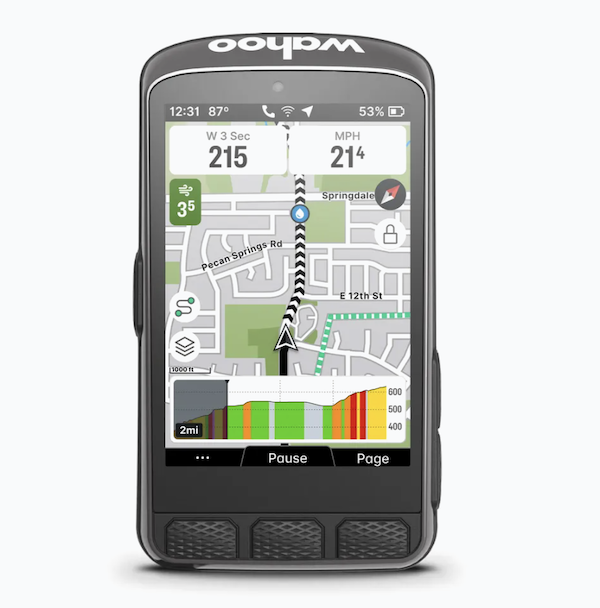
The map page still uses the two buttons on the side of the bike computer to zoom in and out, as on the Elemnt Bolt and Elemnt Roam. But a pinch-to-zoom function on the touchscreen is available by pressing the screen lock button.
Integrated wind sensor: The Wahoo Elemnt Ace integrates an innovative function, the Wahoo Wind Dynamics wind sensor, which measures air resistance in real time, providing cyclists with data on the impact of wind on their performance. This information theoretically allows for optimizing position and race strategy.
The display of this data is optional and customizable on the menu pages. It is also possible to simply analyze the data a posteriori on the bike computer or the application after the ride.
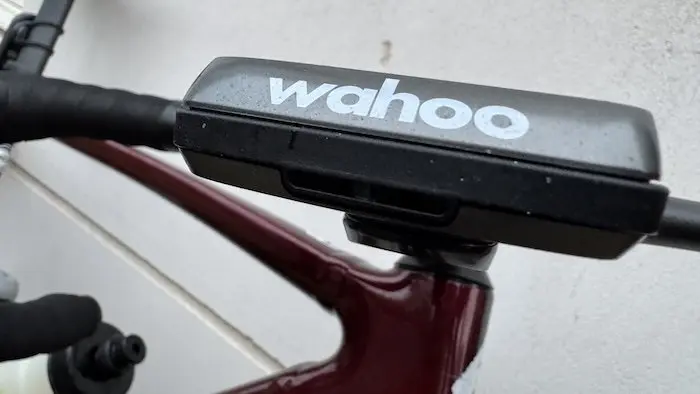
Integrated bike computer bell: Thanks to its speakers, the Wahoo Elemnt Ace offers a bell function, as is the case with the new Garmin Edge 1050. Simply tap twice on the bottom of the bike computer’s touchscreen to activate the bell and alert other road or trail users to your presence.
Note that to date, however, the bell cannot be activated by the hidden buttons on Shimano Di2 or Sram AXS hoods.
Connectivity and synchronization: Compatible with Bluetooth, ANT+, and Wi-Fi, the Elemnt Ace syncs effortlessly with a wide range of sensors and applications such as Strava, Komoot, and the Wahoo ecosystem.
The bike computer is compatible with Shimano Di2 and Sram AXS systems, allowing for the display of derailleur battery status, gear position, and changing bike computer pages by pressing the hidden buttons on the hoods.
Battery life: Advertised with a battery life of up to 30 hours, this bike computer is designed for the longest rides, without requiring frequent recharging. The USB-C port facilitates fast and universal charging.
Nevertheless, with several connected sensors (power, heart rate, rear radar, and Di2 system) and without sleep mode, I observed a battery life of around 15 to 17 hours. This is sufficient for a busy week of training without recharging, but not exceptional for very long-distance use.
=> Buy the Wahoo Elemnt Ace bike computer/GPS
Undeniable practicality
The Wahoo Elemnt Ace is designed to offer an intuitive and fluid user experience. Its touchscreen complements the physical buttons, allowing precise interaction even with gloves or in the rain. During my test period (in the middle of winter), I only used the device outdoors with gloves, of varying thickness. And I did not notice any scrolling problems with the touchscreen, even in the rain.
On the other hand, on the map in navigation mode, it seemed rather complicated to press the (too small) screen lock icons or the compass to lock the map with North facing up while riding.
The organization of the different menus is customizable according to your preferences via the Wahoo smartphone application. It is thus easy to choose which elements to display on the bike computer and on each page (up to 11 data points), their size (thanks to the impressive screen size), and their order of importance. All this without spending long minutes digging through the bike computer’s settings.
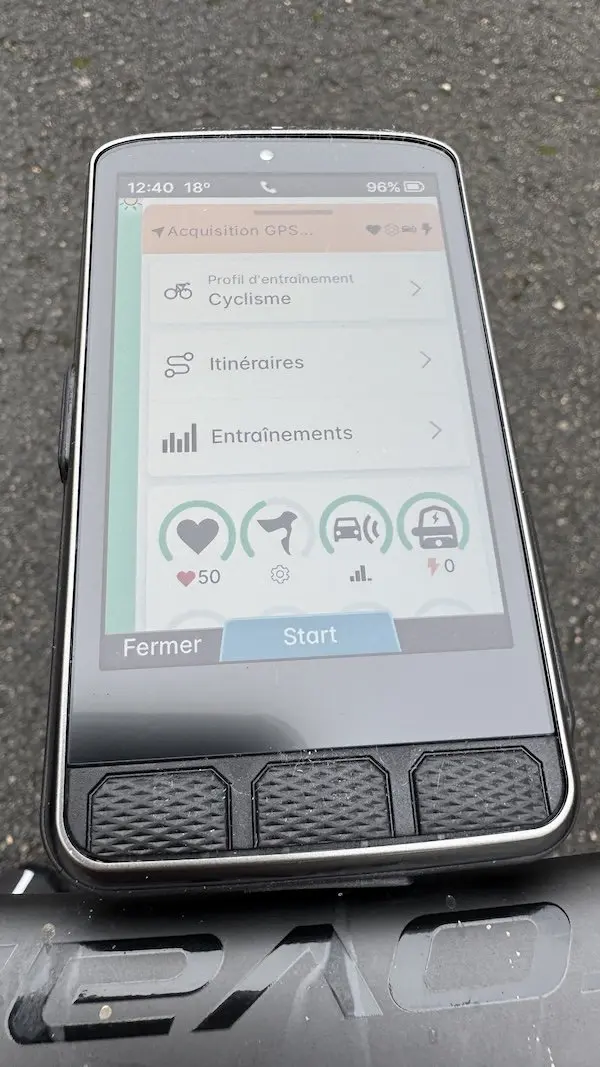
The interface is designed to be intuitive, with a Ready-To-Ride dashboard that saves time at the start of each ride. Even if the bike computer takes a little long to power on (count several tens of seconds before the device starts up), the screen clearly indicates which sensors are connected and their battery level at a glance in a ring around each icon.
For my part, I tested the Elemnt Ace with a Suunto heart rate sensor, a Shimano Di2 11 or 12-speed drivetrain, as well as with a Garmin Varia radar and Garmin Rally power meter pedals, without experiencing any connection or transmission problems.
Finally, the dual-band GPS proves efficient in acquiring the signal, most of the time very quickly when leaving the house. The same goes after passing through a tunnel, where the Elemnt Ace recovers the signal within a few tens of meters upon exit. It’s impossible to differentiate it from the Garmin Edge 1050 from this point of view, even if the latter uses signals from all global satellite navigation systems.
=> Buy the Wahoo Elemnt Ace bike computer/GPS
Essential functions
Beyond user-friendly and very precise mapping and a powerful GPS, the Wahoo Elemnt Ace offers all the functions essential for training tracking. This includes support for external sensors, a plethora of data to display or not, or to analyze at the end of the ride.
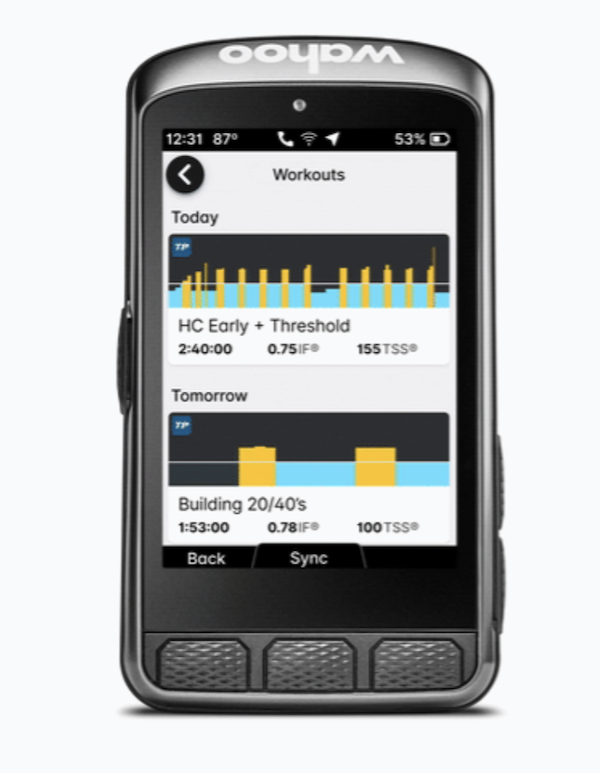
The device also offers training plan or session tracking, via the Wahoo application. The Elemnt Ace incorporates workouts from Training Peaks, TrainerRoad, and Wahoo System. When following a guided session, the implementation is good and easy to read outdoors thanks to the color code, or even better indoors on an indoor trainer thanks to the screen size, which is so large that it’s hard to miss instructions.
The Elemnt Ace naturally includes the Summit Freeride function already seen on the Elemnt Roam, which adds a real plus to using the bike computer, especially in unknown terrain, to manage one’s effort well. The display of the gradient profile is even clearer here thanks to the screen size.
However, the Elemnt Ace remains less comprehensive than high-end Garmin devices, as it does not offer functions such as VO2 max estimation, Stamina, dehydration assessment, recovery time, or several social interactions, as is the case with the Garmin Edge 1050 and Edge 840. These functions are not always useful for everyone, and can sometimes ultimately complicate the use of the device.
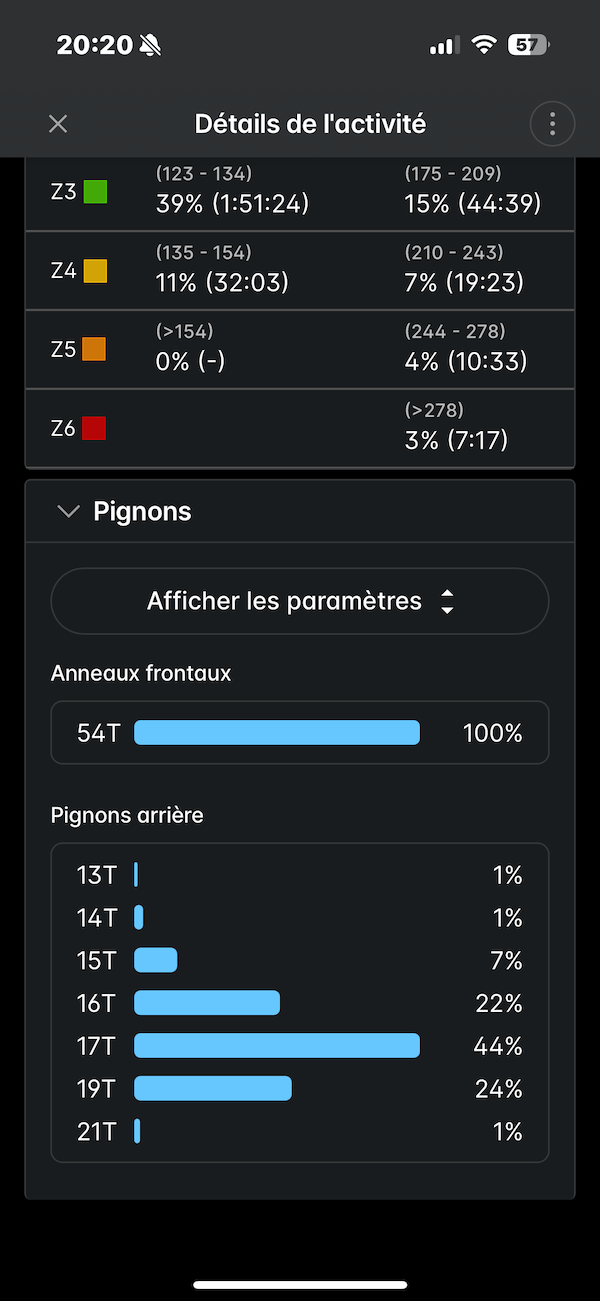
Note that in addition to a rather intuitive handling and use for someone like me who is not particularly geeky, I did not notice any bugs or crashes of the bike computer during rides over this extensive month of testing.
=> Buy the Wahoo Elemnt Ace bike computer/GPS
Is a wind sensor really useful?
One of the main selling points of the Wahoo Elemnt Ace is its integrated wind sensor. A true innovation on paper for this type of device. The sensor is designed to measure the effects of air resistance in real time by taking into account wind speed while you ride. A colored background behind the wind speed number indicates whether you are in a Boost situation (your speed is favored by a tailwind or drafting), Drag (speed is slowed by a headwind), or neutral.
According to Wahoo, the sensor’s accuracy is sensitive to the mounting angle of the Elemnt Ace on its mount. The brand recommends, if possible, positioning the bike computer parallel to the ground, or at most with an angle of +10 degrees.
Concretely, the box dedicated to the sensor on your menu page displays a different color depending on whether the system detects a favorable wind (light green or dark green), neutral (light blue), or unfavorable (orange or red). It also indicates a wind speed in km/h, but this must be compared with your actual travel speed to estimate the impact of the wind on your performance. If the air speed is greater than your travel speed, you have a headwind. If it is lower, you either have a tailwind or you are benefiting from drafting.
The real-time sensor data also clearly shows an effective reduction in wind speed of approximately 25% when riding directly behind a companion, and more than 50% when riding in a group. This will not surprise experienced cyclists, but it can indeed teach new riders a lot in terms of strategy.
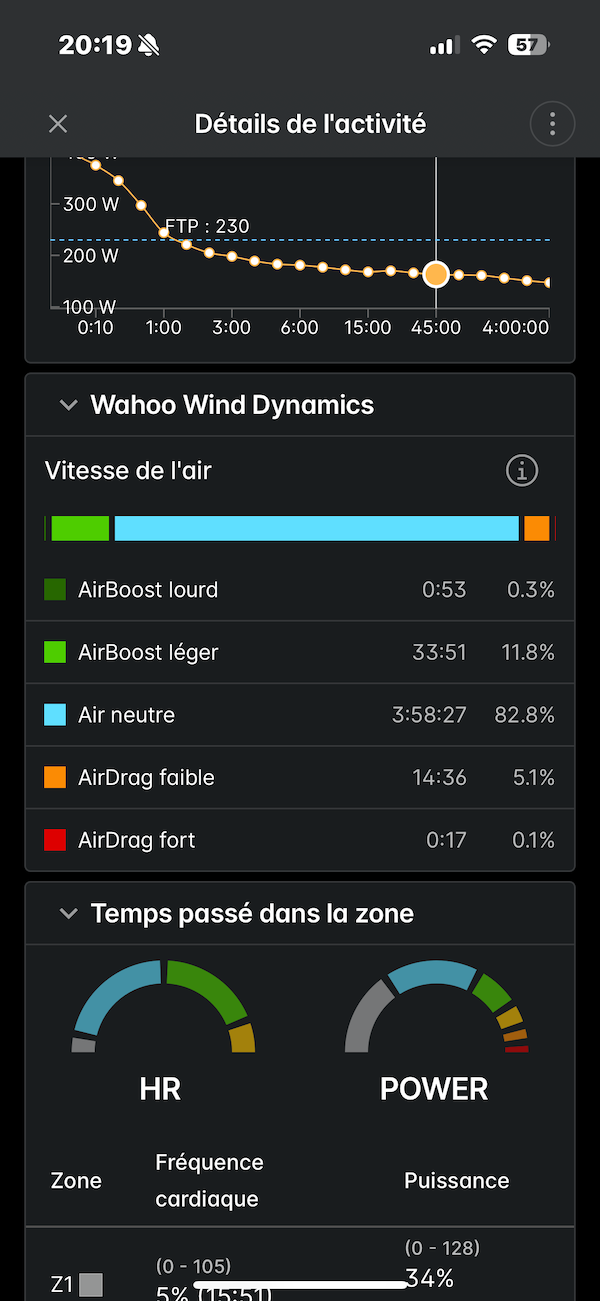
And that’s all. I haven’t been able to glean any other information from this feature. Consequently, the question of its usefulness arises seriously, and whether it should in itself be a decisive factor when choosing the Elemnt Ace.
Nevertheless, overall, even if it is still imperfect, this wind sensor promises many future developments and functionalities via updates, which could usher us into a new era of performance optimization. Especially if Wahoo is able to transform it into a sensor capable of measuring aerodynamic drag.
=> Buy the Wahoo Elemnt Ace bike computer/GPS
Robust, but appealing
The Wahoo Elemnt Ace impresses with its size and weight. And not always in a good way, as it is almost as imposing as a smartphone. Obviously, it is therefore not the kind of device to favor in competition, or even for enthusiasts of minimalist bike setups. Some love its XXL screen, others hate it.
Nevertheless, for cyclists looking for a tool that combines all the latest technologies to improve their navigation experience and performance tracking, the Wahoo Elemnt Ace is an option to seriously consider.
With its giant screen, integrated wind sensor, and advanced navigation features, it stands out as an appealing road companion. While the extended display is surprising at first, you quickly get used to it, to the point of finding it hard to do without. And for intensive use, I appreciated the simplicity of its interface, its reliability, and the absence of bugs. Only its battery life is a little disappointing, or at least below Wahoo’s promises.
With a retail price of €599.99, the Elemnt Ace is in the high-end range of GPS bike computers, which should be compared with the €749 of the Garmin Edge 1050, which for its part has a few more functions.
The WAHOO ELEMNT ACE bike computer/GPS in brief… Pros: screen size, display, colors, readability, GPS accuracy, navigation, interface, bell, speaker Physical dimensions: 125 x 70 x 20 mm – Screen: touchscreen, 16 million colors – Screen size: 3.8 inches (96.7 mm) diagonal – Screen resolution (width by height): 480 x 720 pixels – GPS: dual-band – Sensors: barometric altimeter, accelerometer, ambient light sensor, compass, gyroscope, dynamic wind pressure sensor, audio speaker – Battery type: lithium-ion, rechargeable – Battery life: up to 30 hours – Charging method: USB-C cable – Base map: preloaded worldwide maps, additional maps can be downloaded using Wi-Fi – Internal memory: 64 GB – RAM: 2 GB – Water resistance rating: IPX7 (1 m for 30 minutes) – Connectivity: Bluetooth® 5.0, ANT+®, Wi-Fi® : Smartphone compatibility: iPhone®, Android™ – Weight: 208 g – Price: €599.99 – Contact: wahoofitness.com |
Share the post "Wahoo Elemnt Ace GPS Bike Computer Review"