Share the post "Review of the new Hammerhead Karoo bike computer/GPS"
The American brand Hammerhead introduced its third-generation Karoo this spring, a bike computer/GPS that we were able to test by two people over more than 7000 km. Perfectly integrated with the new Sram Red AXS groupset, this new Karoo features a superb screen and large storage capacity with maps from all over the world, for a responsive and easy-to-use device offered at a particularly competitive price.
By Guillaume Judas – Photos: ©Sébastien Argentin
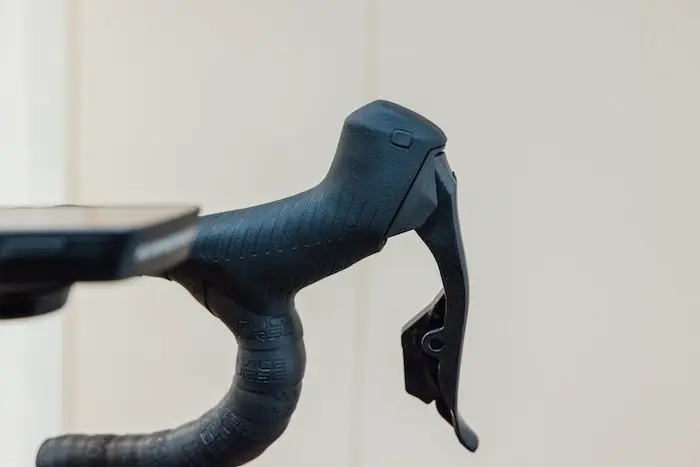
This new Karoo is the first bike computer offered by Hammerhead since Sram acquired the brand at the end of 2021. It was therefore on the occasion of the release of the new Red AXS groupset that Sram and Hammerhead jointly presented the brand new Karoo, a bike computer/GPS designed to work perfectly with AXS electronic groupsets, and especially with the all-new high-end Red and its bonus buttons located on the upper part of the brake levers. These buttons are connected via Bluetooth to the bike computer, and if you wish to configure them this way, they allow you to change the bike computer’s menu pages or start lap times without taking your hands off the handlebars. A feature already known with Shimano Di2 groupsets and Garmin, Wahoo, or Bryton bike computers… but not Hammerhead, as Shimano decided to snub compatibility with a bike computer/GPS brand belonging to its direct competitor Sram!
Fortunately, the new Karoo has other assets likely to appeal to all users. Moreover, after an intensive test spread over two months and almost 5000 km with a Sram Red AXS groupset, this latest-generation bike computer/GPS continued its journey mounted on a bike equipped with a good old 11-speed mechanical drivetrain and rim brakes. The same bike on which the previous Hammerhead Karoo had been installed for almost two years. A good way, therefore, to note the (all positive) evolutions between the two versions.
The Hammerhead Karoo bike computer/GPS: For what use?
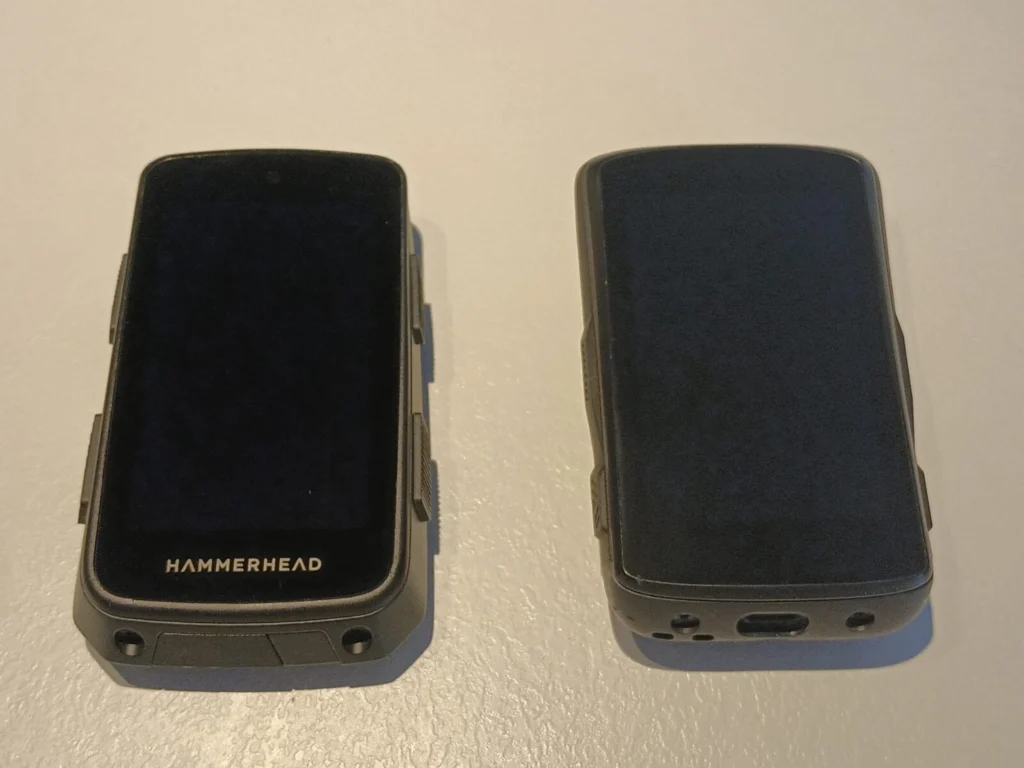
Due to its size and weight (121 g), it competes with the Garmin Edge 1040, with a 3.2” screen, a dimension that allows many pieces of information to be displayed without the device being too bulky. The many available maps, as well as the ease with which pre-traced routes can be transferred to the device and a precise and responsive guidance mode, make it a bike computer/GPS of choice if you prioritize navigation during your rides.
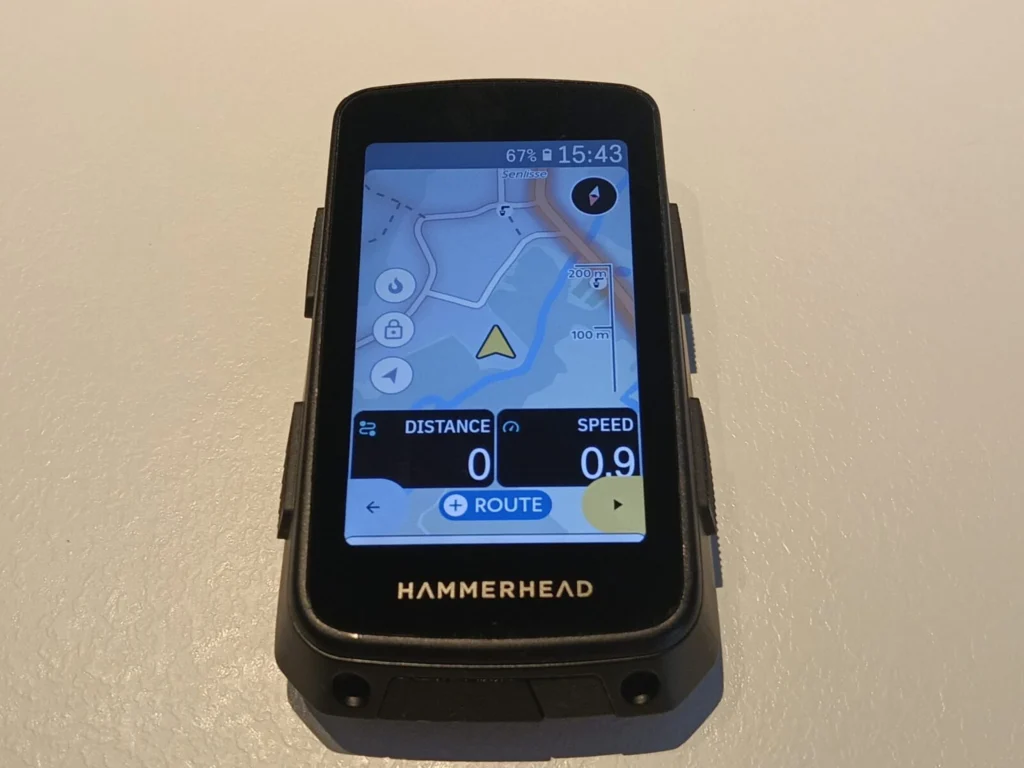
It has the necessary connectivity to be linked to all sensors required for live training tracking, or for safety. But overall, it offers fewer functions related to programming or training tracking than high-end Garmin models, as well as fewer social functions than, for example, the new Edge 1050.
Finally, the quality of its display and map design make it, in our opinion, a particularly user-friendly device that we enjoyed using, especially since its selling price is not excessive compared to the competition. At €499 (retail price), it should be compared to the €599 of the Garmin Edge 1040, or the €399 of the Wahoo Elemnt Roam (non-touchscreen).
A new app
Until the release of this new Karoo, Hammerhead was notable for the absence of a truly powerful smartphone app. It was therefore necessary to use the Suunto-compatible app for Bluetooth downloading of rides, or better, the Hammerhead Dashboard website, provided a Wi-Fi connection was available. A super fast and efficient interface, but one that can be missed when you often change locations. But with this latest version of the Karoo, Hammerhead finally offers an app that allows uploads to and downloads from the device, live tracking, and ride synchronizations even when Wi-Fi is not available.
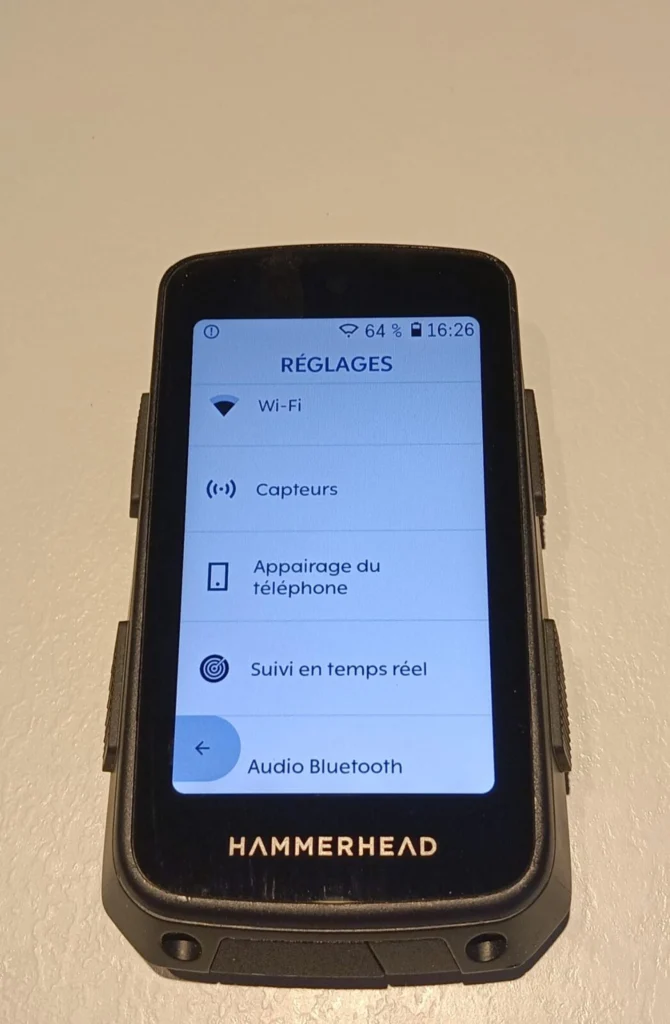
You can access past routes, itineraries, and workouts from the Hammerhead website to review certain data, and you can also connect various third-party apps such as Strava, TrainingPeaks, TrainerRoad, or Komoot, for example. The Karoo is also compatible with the Sram AXS app, which allows it to automatically recognize the equipment used and configure the groupset from the bike computer and view several types of information such as the gear ratio used or the remaining battery life of the derailleurs or shifters.
However, this app is still constantly improving and not yet at the level of Garmin Connect, for example, in terms of data analysis without going through the dashboard or the third-party apps mentioned above.
Improvements compared to the previous Karoo
This new Karoo bike computer/GPS presents itself as a device very similar to its predecessor. Compared to the previous Karoo, it nevertheless offers a notable list of improvements:
- Dual-frequency/multi-band GNSS/GPS
- Android 12 64-bit operating system
- 64 GB storage space
- 4 GB RAM
- 2 GHz processor
- 3,200 mAh battery
- 30% increased battery life
- Superior screen brightness
- Corning Gorilla Glass screen
- Ambient light sensor
- Improved touchscreen management in the rain
- Buttons with a more positive feel
- Menu now available in several languages (including French)
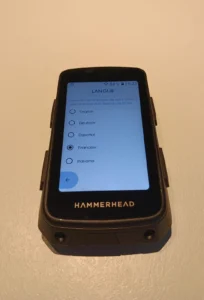
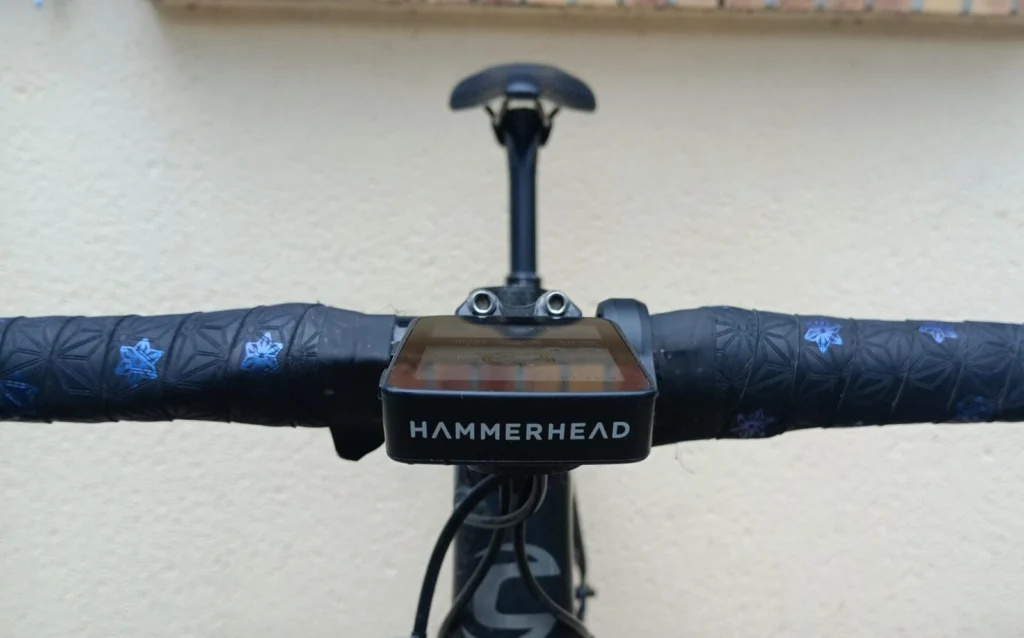
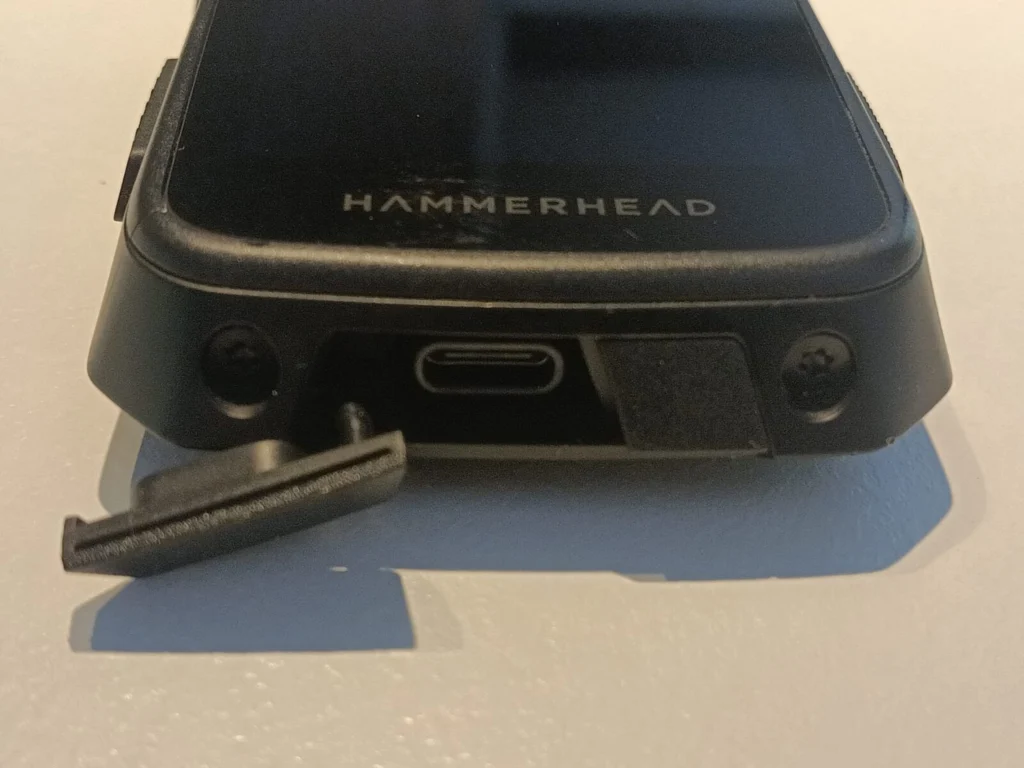
The bike computer has two buttons on each side for changing screens or marking lap times, and a new power button at the bottom of the device. The USB-C charging port is protected by a cover, whereas it was rather exposed on the previous version, with a rather fragile lid.
It benefits from doubled processing capacity, with 4 GB of RAM, as well as doubled storage space at 64 GB, which allows a significant number of maps from all over the world to be stored. These are available for download by section. When traveling, you must therefore remember to download the map of the region you are going to beforehand, if possible with a good Wi-Fi connection.
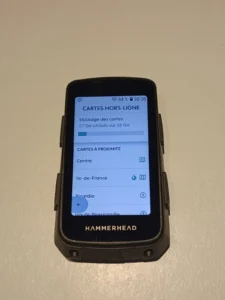
The manufacturer claims a battery life of more than 15 hours, even with several connected sensors (heart rate sensor, power meter, rear radar) via ANT+ and/or Bluetooth, and a very high-quality display. The 480 x 800 pixel screen is truly very visible, whatever the outdoor conditions, while being very responsive, like a smartphone.
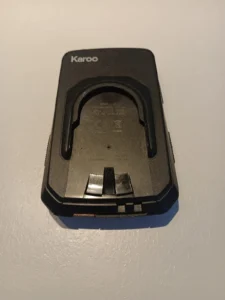
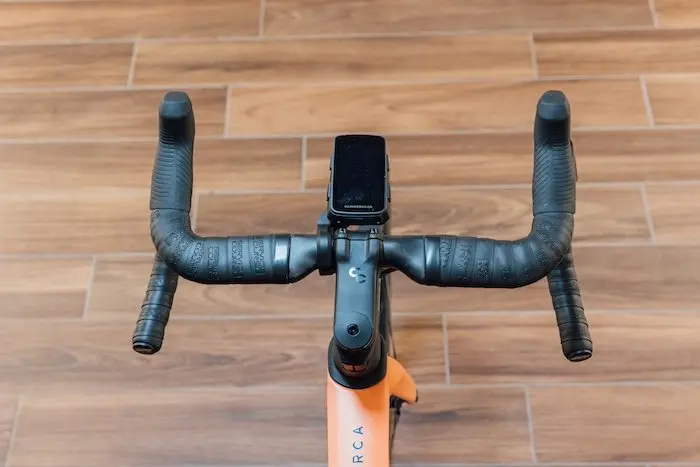
The Karoo comes with an easy-to-handle mounting system that seemed well secured to us. The hold on the mount is very good without being almost blocked as on the previous version where it was necessary to force to remove the bike computer from its mount. Here, a small firm but easy rotation is enough to unclip it. The new mount also offers front-to-back adjustment to bring the device closer to or further away from your cockpit (bars and stem), according to your preferences. As with the previous version, the bike computer also comes with an adapter that allows it to be mounted on a Garmin mount if necessary. The new Karoo is sold at the official price of €499, but it is also included as standard when purchasing a Sram Red AXS groupset, or with certain limited edition bikes equipped with the American brand’s drivetrain.
Data Customization
In addition to the basic configuration, you can modify the display layout as well as the background image, and add several data pages, which can contain up to 10 different pieces of information, whether in the form of numbers or graphs. All these personalized settings are made directly on the bike computer, quite intuitively. In use, you switch from one page to another by pressing a bonus button on the Sram levers, by swiping the screen with your finger like a smartphone, or by using a side button. Several modes can thus be configured according to the displays you wish to prioritize, often depending on the type of practice (road, gravel, MTB, Indoor, commute…).
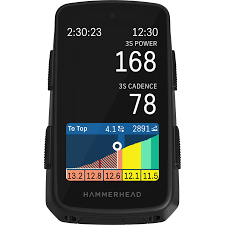
It is also possible to swipe away some annoying data on the screen, such as smartphone notifications or live climb data when they appear and obscure the heart rate or power display, for example.
Regarding training itself, the new Karoo does not directly offer structured workouts, but it can be linked to TrainerRoad and TrainingPeaks apps, in order to receive training plans and exercises to follow on the device.
On the road and in the woods with the new Hammerhead Karoo bike computer/GPS
Switching from a Garmin, Wahoo, or other bike computer to a new device is not always easy on the first rides, especially when it comes to configuring it according to your own habits. However, it was not very complicated to get used to the new Karoo, especially with the new Red AXS groupset and its bonus buttons on the brake levers. Used on another bike with no connectivity other than the Hammerhead heart rate strap (also very accurate), we appreciated the responsiveness of the touchscreen and its ease of use even with gloves. The device also proved perfectly compatible with various sensors such as a Suunto or Polar heart rate strap, a Quarq or Garmin power meter, or a Garmin Varia rear radar, for which it provides clear and precise information on vehicles approaching from behind.
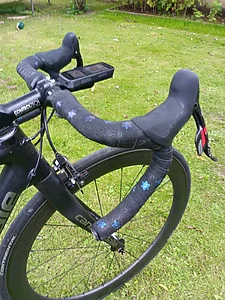
Once outdoors, the Karoo connects very quickly in GPS mode almost instantly, regardless of the environment or after changing location, and we never experienced any signal loss during the more than 7000 km of this test, whether on the road, MTB in the woods, or even after forgetting to download a map during one of our trips to the south of France. On this occasion, we lost the Climber Tab mode, the equivalent of Garmin’s Climber Pro, but which we find a little more precise and readable. As a reminder, this mode allows the display of the gradient and its variations when you approach a climb, which helps to manage your effort relative to the difficulty or the approach to the summit. It is no longer necessary to follow a pre-planned route to display this function, as the device automatically detects the foot of a climb, but you must at least have the map in the bike computer.
The maps are generally easy to read while riding. The device offers the possibility to lock the map with North at the top (an appreciable option on windy days, to manage effort according to direction) or with the track to follow at the top. The map also presents heatmap data, which actually shows the most used roads by other users. A plus for choosing different passage options on new routes. Generally, following a track is simple and the device gives you all the necessary details, including an audible beep that can be deactivated. The Return to Start function is easily found by swiping the screen from top to bottom to display the settings page where a dedicated box appears. Once selected, guidance starts simply as when you need to follow a track that you would have entered into the bike computer beforehand. Be careful to set the guidance correctly, otherwise you risk being taken on paths or road sections not always passable on a road bike…
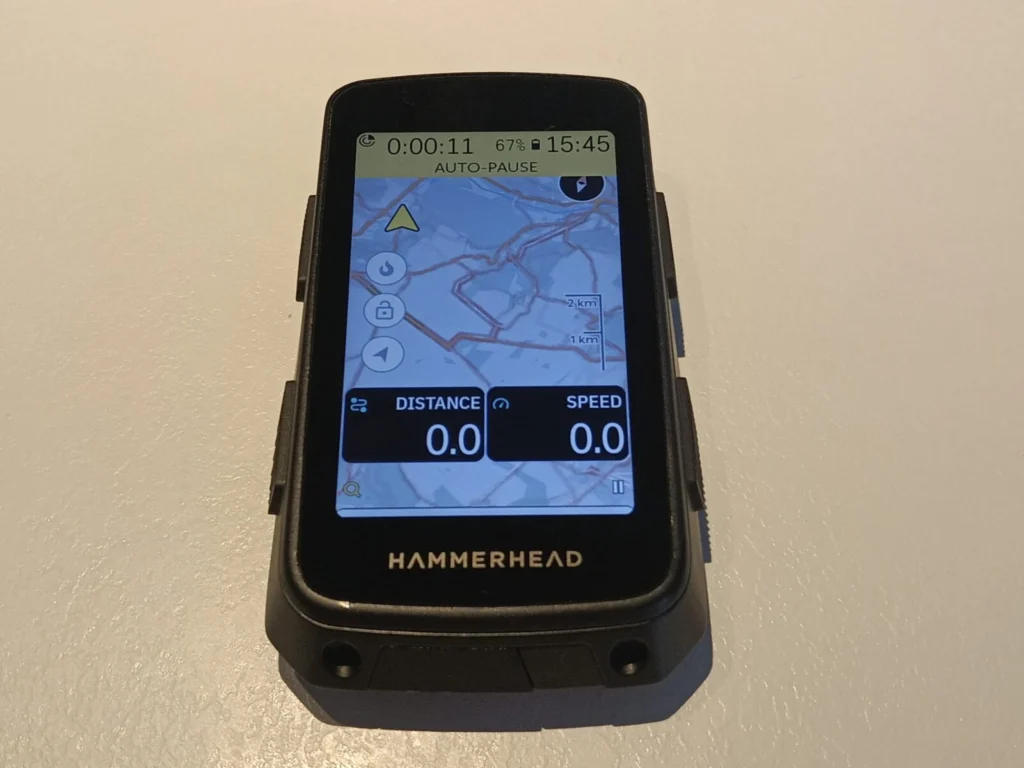
The data processing speed is sufficient not to miss a change of direction when following a track, even in the woods. The indications are reliable and the map’s precision allows you not to miss the small singletracks that can sometimes be found in the forest. In case of error, the device recalculates an alternative route to get you back on track. Note that it is not possible to enter an address directly into the bike computer, and you must use the app. By searching for an address on Google Maps, it is easy to send the destination point directly to the bike computer. Simple and effective, just like sharing routes between users via WhatsApp. Simply click on the .gpx link for the Hammerhead app to recognize a track to download and send it to the bike computer.
The elevation gain calculation after each ride offers data comparable to the Wahoo Elemnt Roam bike computer as well as Strava’s elevation gain calculation, and are not sensitive to bad weather, as is the case with some Garmin bike computers.
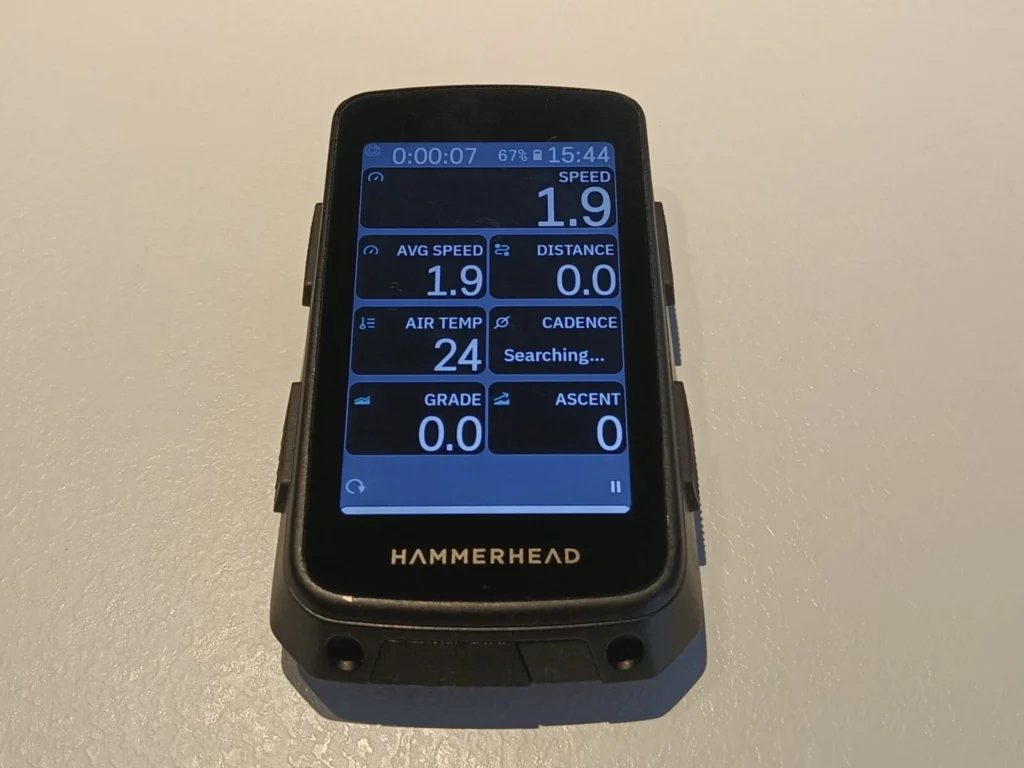
From a navigation perspective, the Hammerhead Karoo is therefore very user-friendly, and one of the most accurate on the market. Its screen is very readable and its responsiveness is in line with what is expected from a high-end GPS. It does not have quite the same training functions as the Garmin Edge 840, 1040, and 1050, nor a battery life likely to make it indispensable for long-distance enthusiasts. It’s up to you to see if these characteristics are essential. Finally, its non-compatibility with the Shimano Di2 system remains, in our opinion, a hindrance to its development. But this new Hammerhead Karoo nevertheless stands out as a highly recommendable bike computer/GPS because it has been designed for the essentials.
The HAMMERHEAD KAROO bike computer/GPS in brief… Pros: readability, user-friendliness, GPS accuracy PRACTICAL IMPROVEMENTS COMPARED TO THE PREVIOUS VERSION
Processor: Quad Core 2.0 GHz – Memory: 64 GB storage, 4 GB RAM – Satellite connectivity: Multi-band GNSS (L1 + L5) – Satellite constellations: GPS, GLONASS, Galileo, QZSS, BEIDOU – Charging: USB C – Charging time: 30% in 30 minutes, 100% in 2h30 – Battery life: up to 15 h – Sensor connectivity: ANT+ and Bluetooth – Dimensions (in mm): 102.8 x 61.66 x 21.1 – Screen resolution: 480 x 800 pixels – Screen size: 3.2” – Screen type: Touchscreen – Water resistance: IP67 (water and dust resistant) – Device weight: 121 g – Operating temperature: -10 °C to 55 °C – Barometric altimeter: Yes – Ambient light sensor: Yes – Temperature sensor: Yes – Price: €499.99 – Contact: hammerhead.io |
Share the post "Review of the new Hammerhead Karoo bike computer/GPS"