Share the post "Zwift Play Controllers Review"
Zwift Play controllers are a control system for the virtual indoor cycling application Zwift, which mounts on your bike’s handlebars. They allow you to navigate the application menu without taking your hands off the handlebars, but also to turn, change trajectory, brake, and virtually shift gears, for an even more immersive experience in the Zwift universe. But are they really essential?
By Guillaume Judas – Photos: ©3bikes.fr
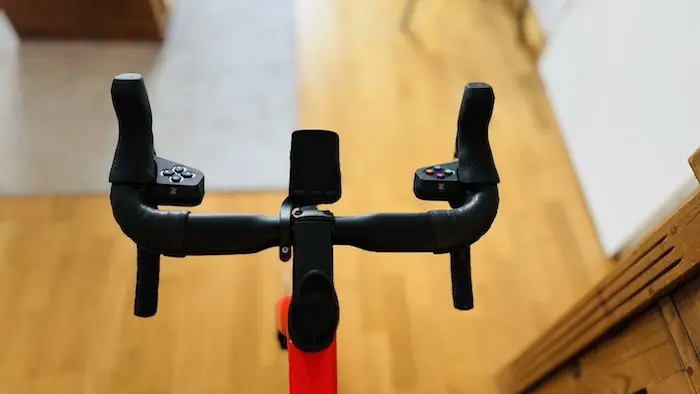
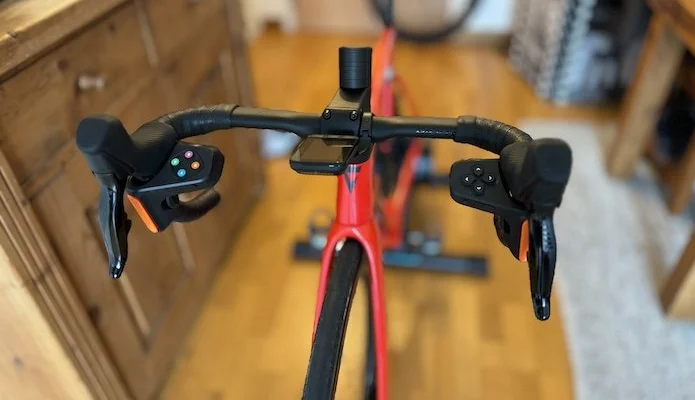
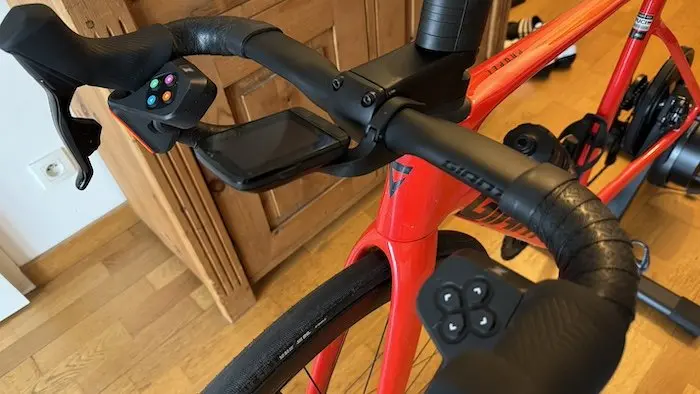
Zwift Play controllers are installed on road-style handlebars (and only road-style, due to their shape), and are placed just below the bike’s brake levers using a large integrated elastic band. It’s simple and effective, and handling is quite easy after a few minutes of use. They connect via Bluetooth to the computer, tablet, or smartphone used for the Zwift application, in the same way as the indoor trainer. Only when used with an Apple TV can the connection be more complicated, as it only accepts a limited number of Bluetooth sources. It may therefore be necessary to use the smartphone as an intermediate device to group all other Bluetooth connections used for the training application (indoor trainer, heart rate monitor, optional power meter, and thus the Zwift Play). Due to their functionalities, Zwift Play can be used with any indoor trainer (and not just with a Zwift Hub indoor trainer), but only on Zwift.
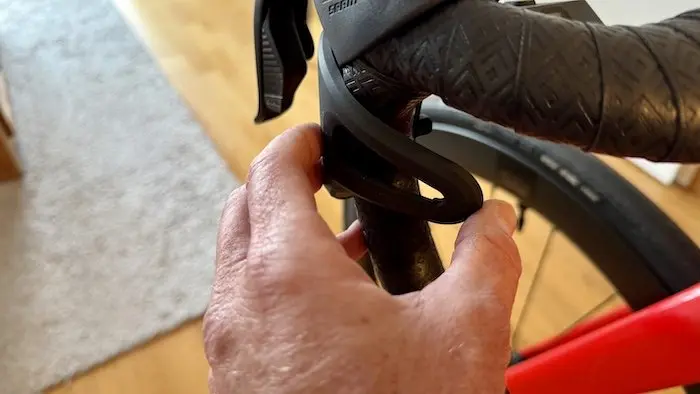
Once connected, Zwift Play allows you to navigate the application menus without taking your hands off the handlebars, which can be an advantage for those whose setup is not the most practical. Not everyone has a dedicated room with all the appropriate supports. And manipulating the computer keys or pad to change menus or select options while riding is not always easy.
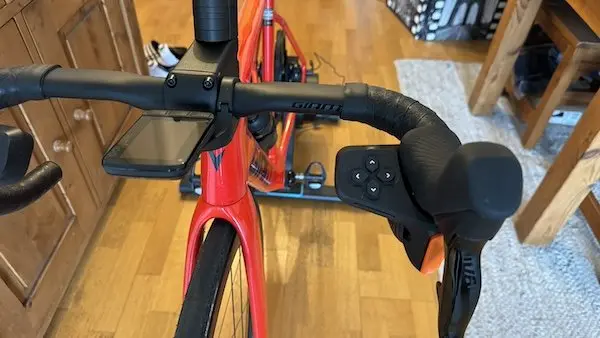
They charge via USB-C, made even easier as they come with a cable that allows both controllers to be charged simultaneously from a single USB-A port.
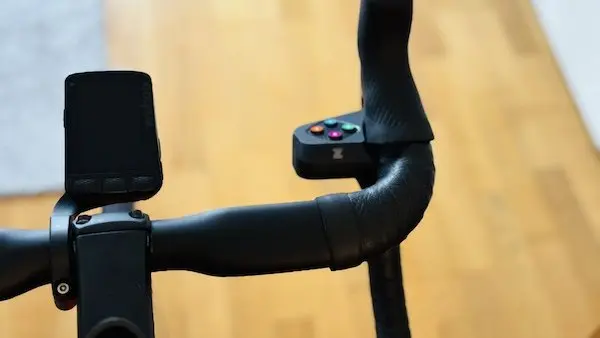
The left controller has four directional buttons, while the right has four action buttons (Y, A, B, and Z). These buttons allow you to navigate menus, select routes, join group rides, change camera angles, use power-ups, or send kudos.
But most importantly, Zwift Play offers three new features:
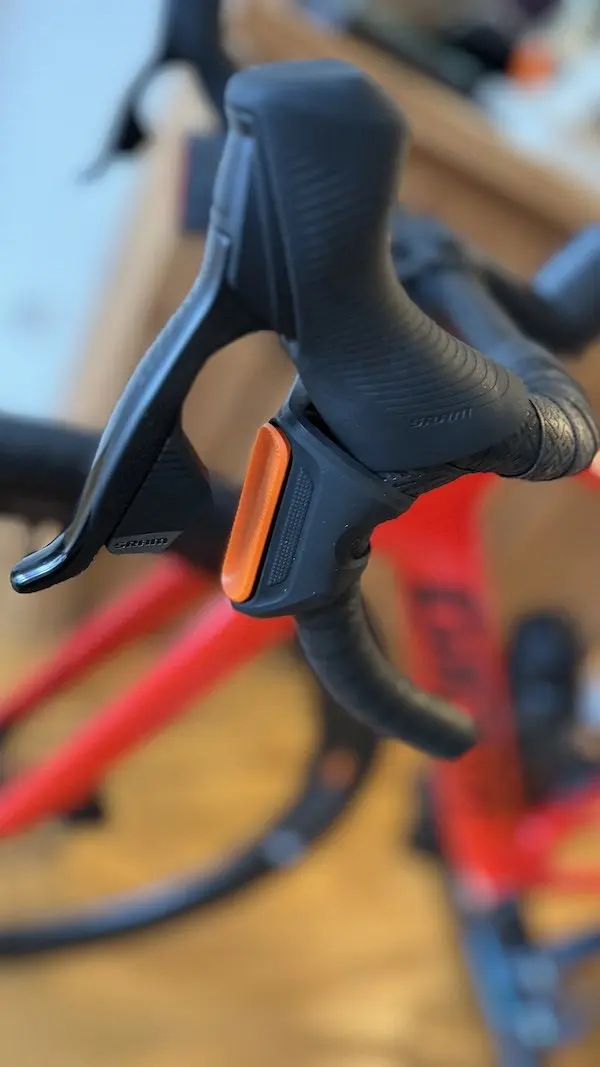
- The ability to change direction on selected routes, to change trajectory and/or position on the virtual lane being used thanks to a paddle located under the brake levers. This possibility offers certain performance advantages during virtual competitions or group rides as it allows for optimizing placement within a peloton to benefit from the best shelter, or to cut corners to gain positions. This is the same operating principle as the Elite Sterzo Smart, but without acting on the handlebars.
- The ability to virtually shift gears using the Zwift Hub One equipped with the single Zwift Cog, and in place of the Zwift Click. Gear changes are made by pressing side buttons on both controllers. It’s just a little regrettable that the engagement felt with each action isn’t as crisp as with the Zwift Click.
- The ability to brake. Which, in the application and currently, is of little interest since, in the absence of avatar control, we have never observed any off-road excursions or crashes involving multiple participants. This can be interesting in group rides to wait for friends, if necessary. However, since the action is performed with the same paddle as directional changes (by pressing in the opposite direction), one can sometimes be a victim of some fumbling and involuntary braking.
However, Zwift Play does not (yet) allow access to the chat, and therefore communication with other nearby users. This function is of course available in Zwift, but it requires automatically using the computer keyboard or the associated Zwift Companion application.
The system does not yet seem absolutely essential for Zwift users, especially for those who use the application for pure training purposes. However, we do not yet know the platform’s long-term goals, particularly a possible opening towards gaming with Mario Kart-like sessions, which would have the advantage of combining physical conditioning with a truly fun aspect.
Zwift Play are priced at €149, but they are currently sold for €99 for this Beta version, which probably does not yet have all the possible and expected functionalities.
An additional comfort tool
Even if Zwift Play are still technically in beta, there is nothing to say in terms of finish. The product seems well-developed, easy to install, and not fragile in use, even for those who sweat a lot during their indoor training sessions. Even the elastic used for attachment leaves little doubt as to its long lifespan.
During the first connection with the computer, I experienced some recognition issues with the controllers on Zwift. It is possible that the Bluetooth connection is not the most efficient, without me knowing if it comes from the Mac Book Pro or the controllers. Sometimes, even with a phone, connection issues between devices can occur, even in known environments.
Once connected, Zwift Play are quickly intuitive to use. With the left controller, you can easily navigate from one menu to another, using the up, down, right, and left arrows. You confirm with the right controller. It’s possible to make a few mistakes during the first uses, but you quickly get the hang of it. The hand position, however, is a little more complicated to find during intense effort. It’s not possible to place your fingers as usual behind the bike’s brake levers, and this can be a little annoying without being totally prohibitive.
On the side of the controllers, the long right button allows you to shift up a virtual gear, and the left button allows you to shift down using the Zwift Hub. Like with a Sram electronic drivetrain. To be completely honest, I didn’t immediately understand where these buttons were, and I rode the first time with the Zwift Click, as it is still possible to use it at the same time as the Zwift Play. I would have preferred the gear changes to feel more distinct on the Zwift Play, as here it is not always easy to be sure of having performed the desired action with a click that lacks crispness.
Regarding directional changes with the orange paddles (pressing the right paddle to go right and the left to go left), they are quite intuitive once you understand that you are in a virtual world and that this system is primarily used to change position within the lane you are in. In a peloton, it’s quite fun and allows you to play a bit with other users when you have some mastery of the technique. But you can always forget this function and focus on the effort, as the avatar continues its route on the planned course regardless.
There is a risk of confusing directional changes with braking, as both paddles allow braking if you press in the opposite direction. However, the inside of each paddle has a slightly more pronounced edge, which allows you to quickly remember what not to do to lose the wheels of a peloton. Because concretely, braking is currently strictly useless in Zwift, except to light up the rear light behind the avatar.
Ultimately, if we stick to the current price of Zwift Play controllers at €99, it’s a good deal for regular Zwift users. Especially when compared to the Elite Sterzo, which is certainly sold for half the price, but without associated functions, which is not the case with Zwift Play. However, when the system goes up to €149, it will need to offer other conveniences to be truly competitive, unless Zwift soon offers other game evolutions that make it truly indispensable.
The ZWIFT PLAY in brief… Pros: build quality, easy assembly and installation, interesting features, “game” aspect Price: €149 (currently €99 in Beta version, awaiting certain updates to increase possibilities) Contact: zwift.com |
=> SEE ALSO: All our Test articles
Share the post "Zwift Play Controllers Review"