Share the post "Zwift Hub Smart Trainer Review"
A few weeks ago, the Zwift platform announced the release of its own smart indoor trainer, which has the advantage of being easy to assemble and set up, and is also the cheapest on the market. How does the Zwift Hub perform when put to the test of virtual training on Zwift or elsewhere? We tested it over several weeks. Verdict.
By Guillaume Judas – Photos: ©3bikes.fr / Zwift / DR
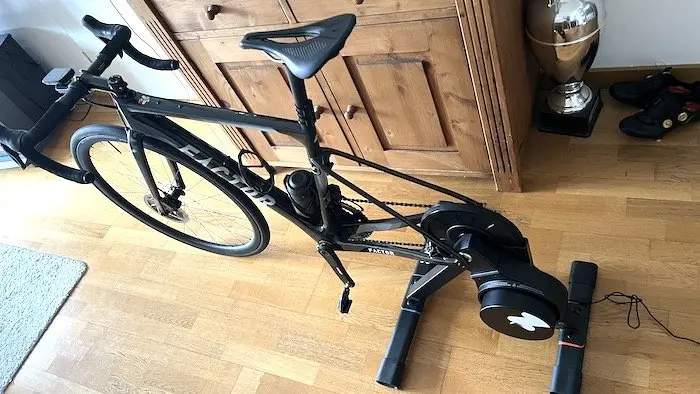
Launched in 2014, the Zwift virtual training platform really took off with the Covid-19 pandemic, during the first lockdown in spring 2020. Since then, many experienced cyclists have remained subscribed to Zwift, after discovering the application’s virtual routes, its free rides on varied terrain, its group training sessions, or even its competitions. Thanks to the realism of the circuits and their slope variations combined with the various smart indoor trainers on the market, cycling at home has become much better than a punishment. Some have even made it a real practice, only taking their wheels outside on very rare occasions.
But Zwift also caters to beginners, occasional cyclists, and those looking for a way to regularly engage in a sport while optimizing their schedule. For this audience, it must be admitted that a smart indoor trainer is not always easy to access, if only from a technical standpoint. With the Zwift Hub, the Californian company wanted to simplify things, and they have succeeded quite well.
=> SEE ALSO: Indoor trainer, what equipment is needed for Zwift
An already proven indoor trainer
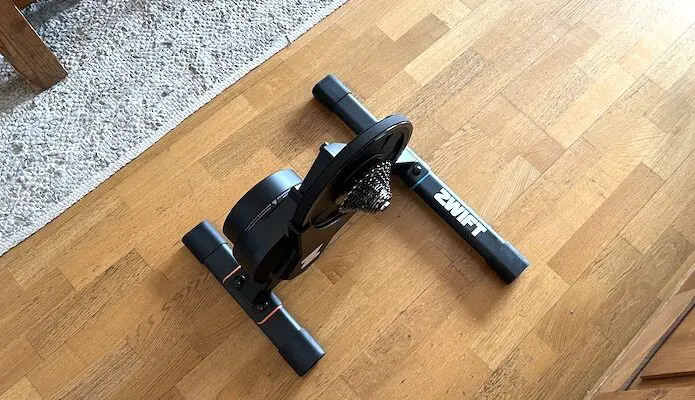
The Zwift Hub is not a completely unknown model, as it is actually a JetBlack Volt V2, certainly not the most popular in France compared to devices from Elite, Tacx, or Wahoo, but it does the job perfectly. The JetBlack competes with an indoor trainer like the Wahoo KickR Core in terms of presentation and features. Among its main characteristics are a weight of 16.5 kg for ground dimensions of 49.7 x 61.2 cm, a 4.7 kg flywheel, a maximum simulated slope of 16%, a maximum resistance of 1800 watts, a claimed power calculation accuracy of +/- 2.5%, and Bluetooth FTMS and Ant+ FEC connectivity, which makes it compatible with all applications (not just Zwift) and all devices on the market, whether desktop computers, tablets, smartphones, or power meters or heart rate monitors.
=> SEE ALSO: Cycling 3.0, how good are indoor trainer apps?
Zwift has adopted the model by rebadging it, adding a cassette that you choose at the time of order (8, 9, 10, 11, or 12 speeds) and which comes pre-mounted, and above all by lowering the price to €499 all-inclusive instead of over €700 for all competing models, or even over €1000 for the most elaborate indoor trainers. A price reduction that almost forces other brands to align, or risk losing a lot of market share.
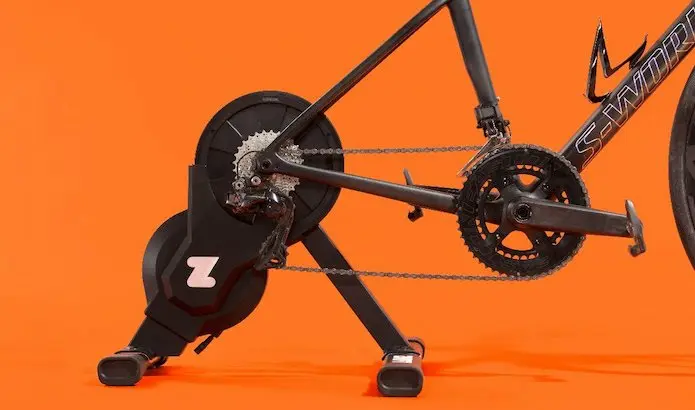
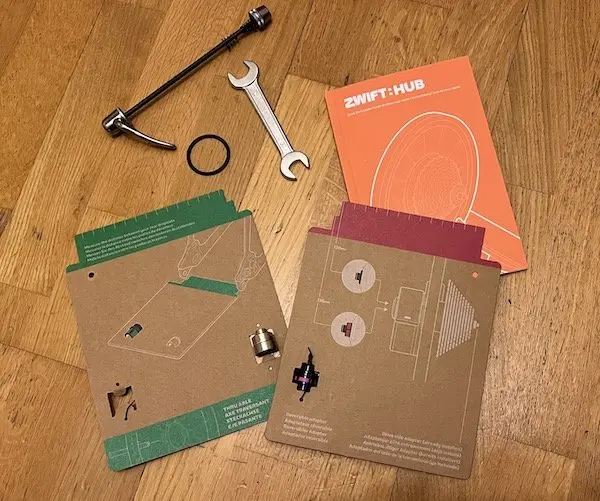
But that’s not all. This Zwift Hub comes almost ready to use, with only the two main feet to assemble and screw on. And since the tools are provided, it takes no more than five minutes flat. The Zwift Hub is a direct-drive indoor trainer, which means that the bike’s rear wheel must be removed and the rear part of the frame attached to the device. Zwift’s other trick, and the most sensible one, is a cardboard template, designed to accurately measure the rear dropout spacing (which varies depending on the type of road, mountain, or city frame, quick release or thru-axle, new or old), and to avoid choosing the wrong adapter. Finally, the platform offers a series of short videos that explain the different steps for assembling the Zwift Hub. Simple and effective for novices.
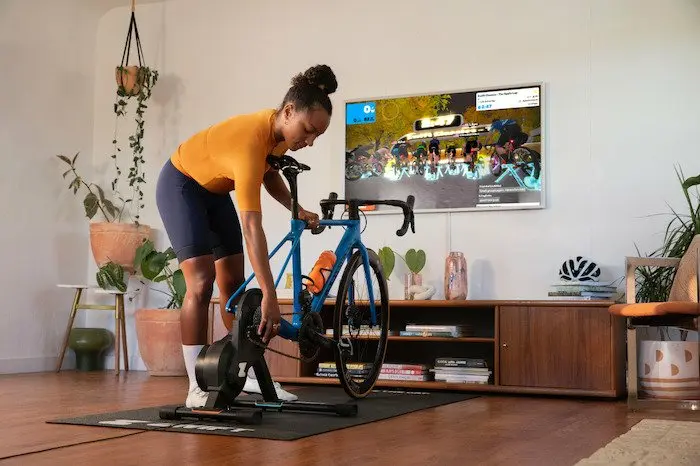
=> Indoor trainer assembly video:
=> Bike installation video on the indoor trainer:
First connection to Zwift or another platform
Once the device is installed and the bike mounted, the indoor trainer must then be plugged into a power outlet. And this is quite clever, because the power cable is long enough for you to place the Zwift Hub pretty much anywhere you want in a room. Indicator lights show that the device is powered on, which then makes it easy to find in the settings of the application used. On Zwift, it’s extremely easy. On the main menu page when accessing the application, the various connected devices (via Bluetooth or ANT+) are indicated. The indoor trainer first serves as a “controllable,” meaning it reacts according to the slope simulated by the application, or according to the resistance determined by the training plan being followed. It can also measure power and pedaling cadence, and this is probably what most Zwift Hub users will choose. But the application also allows you to use the bike’s power meter as a source of power and cadence, as well as a heart rate monitor, and to use the indoor trainer only as a “controllable.” This is a solution to consider for those who already have a power meter they are used to working with, as we will see later.
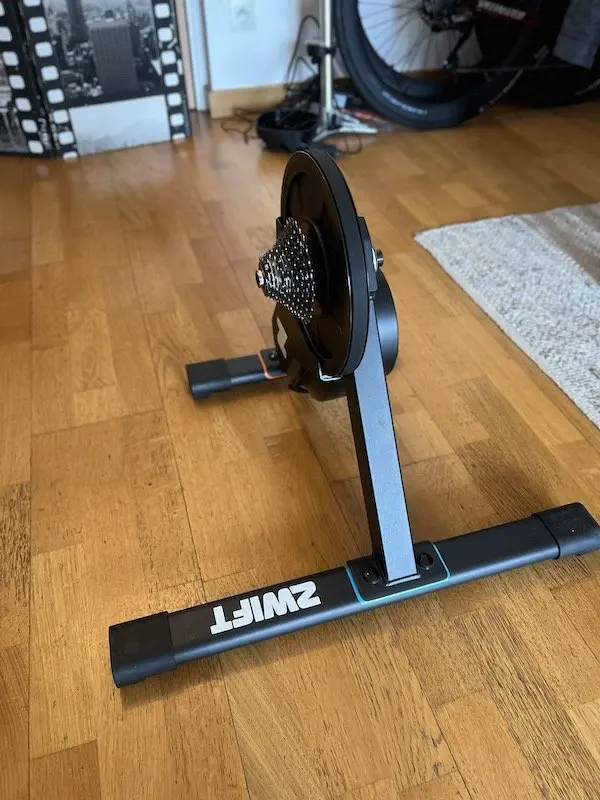
In terms of parameter adjustment, Zwift also offers to adjust the simulated resistance of the indoor trainer. By default, it is set to 50%, which means that a 10% slope in the application will be felt as a 5% slope on the indoor trainer. It is possible to customize the setting by moving the slider on the screen, which changes absolutely nothing to the power supplied and the speed of movement on virtual courses. Increasing the “difficulty of the indoor trainer” is like changing chainrings on the cassette. In other words, if you have the power of a very good rider, you will get through everything with a 100% setting and a normal cassette, and you will have to change gears more often depending on the different slope variations. But otherwise, you can choose the slider position for a type of pedaling that matches your habits. For our part, we chose a difficulty setting of 80%, which allows us to use all the cogs of the supplied cassette (11-30) and even to spin our legs a bit on the difficult ascent of Alpe du Zwift. Note that the perceived difficulty setting depends on the application used, not on the indoor trainer.
Riding sensations on the Zwift Hub
Regarding the sensations delivered, it’s all good. The Zwift Hub is first distinguished by its relative silence. Even during sustained effort, you practically only hear the sound of the drivetrain, in addition to a slight whistle lower than that of an electric bike motor. On the (virtual) flat, the chain is a little noisier on the smaller cogs of the cassette, but it remains reasonable. In the most significant virtual climbs, using the small chainring and large cogs greatly limits the noise, and only your accelerated breathing can disturb other occupants of the room.
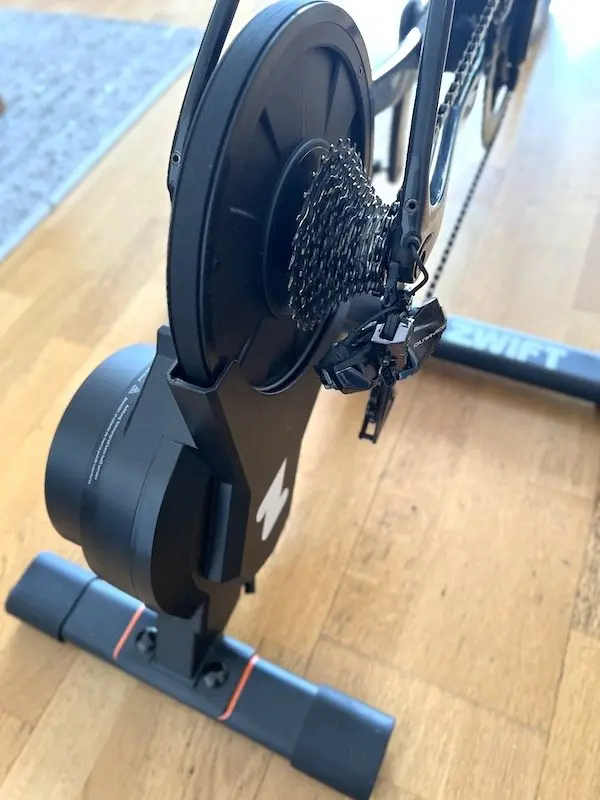
The Zwift Hub is very stable, which has both advantages and disadvantages. There is obviously no risk of losing balance once everything is properly mounted, even during intense effort or going all out in a sprint. Nothing moves, and nothing seems to be able to disturb the pedaling. However, this seemingly high-quality immobility is also likely to transfer a lot of stress to the frame during very violent efforts. Furthermore, riding out of the saddle is less obvious than with a device that offers a bit more structural flexibility. You might feel like you get tired faster when riding out of the saddle, as it becomes more difficult to slightly move the bike from right to left. In any case, and this applies to all indoor trainers on the market, we are not big fans of overly violent efforts on an indoor trainer, such as sprinting. For fear – founded or not – of damaging or breaking the bike.
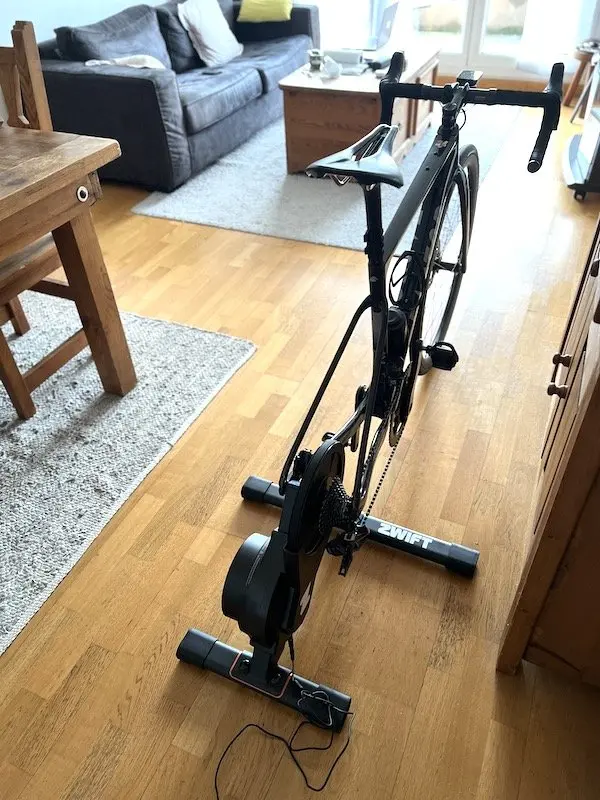
Although the flywheel is not the heaviest on the market, it provides very realistic sensations during changes in pace, slope, or gearing. In this sense, the Zwift Hub is similar to the X Plova Nova S, but the latter has a 5.9 kg flywheel compared to 4.7 kg for the Hub. On all circuits offered by Zwift, the slightest variation in slope is felt, and encourages or forces you to change gears. To “set a time” on a climb, you are always tempted to shift up a gear as soon as the slope barely softens. And on descents, even if the Zwift Hub does not have a motor to simulate descents like the Tacx Neo 2 T, the flywheel spins up a bit and really allows you to feel a lightening of the pedal stroke that is very close to the sensations you can experience on the road. From this point of view, the Zwift Hub is more addictive than the Elite Direto XR (where it is almost impossible to ride with the maximum gear) or the old Direto which is our reference device.
For calibrated workouts in ERG mode (meaning the device’s resistance is controlled by the application, regardless of the slope), the Zwift Hub is completely responsive, and here too, very stable in the braking it opposes to the effort. Whether you’re riding with high cadence or, conversely, with a bit more force, the Hub always smooths out the resistance very transparently. It’s very pleasant to use and allows for truly high-quality riding.
The Zwift Hub’s level of accuracy
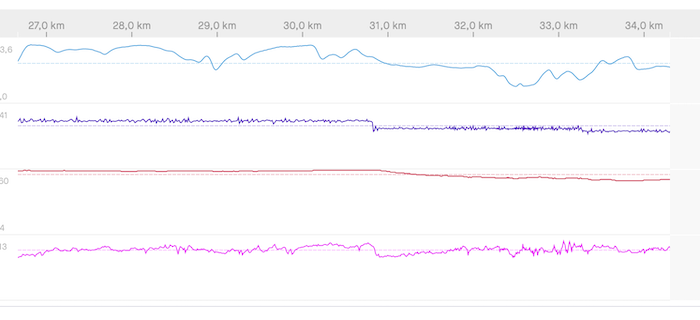
Compared to the two Elite indoor trainers mentioned above, which we have used extensively, the Zwift Hub falls short in terms of power measurement accuracy. To verify this, we performed all our sessions with another power meter connected to the bike, whether a Quarq or Garmin Rally pedals.
During the first connection, a quick comparison between the Hub’s data on the Zwift app and the Quarq sensor’s data on the bike showed a difference of almost 10% in favor of the indoor trainer. This is quite nice if you’re interested in Zwift performance, since, as a reminder, virtual travel speed depends solely on the power supplied, or at least indicated by the device used. It is highly probable that most Zwift Hub users will be content with this random data, without looking further, even if an inaccuracy of this type of sensor can work both ways (i.e., it is not necessarily positive).
If, on the contrary, you are concerned about accuracy, you must go through the indoor trainer calibration procedure, which is relatively simple to do on Zwift. After 10 minutes of warm-up (so that the device is at temperature), you must return to the application’s home page, where the connected devices are indicated, and click on the symbol with a small wrench, then let yourself be guided. It takes 15 to 20 seconds maximum.
But even by regularly following this procedure, the data correlation between the two power meters on the bike (also calibrated daily) and that of the Zwift Hub proves to be random, most often with a disadvantage to the Zwift Hub, of 5 to 10 watts depending on the intensity of the effort. This can be explained by the precision range of each sensor (1.5% announced for the Quarq and Garmin, 2.5% for the Hub, and these inaccuracies can accumulate), and by the placement of the bike’s sensors (crankset or pedals), closer to the power supplied than the Hub, at the other end of the drivetrain. There is also no way of knowing if the Hub drifts slightly or not during the session. What we do know, however, is that the indoor trainer is very hot at the end of the workout, at least around the flywheel, and that it is even difficult to move it, especially since the device does not have a handle.
And what does this power accuracy story change in the end? Not much if your goal is to ride by feel and have more fun than a basic indoor trainer session thanks to the Zwift app (or another), or if, on the contrary, you know yourself well and can train by following heart rate monitor indications. It’s more problematic if you plan to participate in virtual competitions on Zwift, if you want to follow a precise training plan with watts, or if you have reference times on certain virtual climbs with another indoor trainer. Many experienced Zwift users are familiar with this problem with other indoor trainers and prefer to connect their own power meter to the app for more consistency with data collected on the road, even if, again, you can’t always compare power expressed outdoors with power pedaling on an indoor trainer. From our point of view, the indoor trainer is primarily a training tool, for improving or maintaining physical condition, which can become fun when connected to an application like Zwift. And the Zwift Hub is no exception to the rule.
Our opinion on the Zwift Hub
At €499 (with a cassette included), the Zwift Hub tends to democratize access to racing or training applications like Zwift, the most popular, and perhaps the most addictive. Thanks to its stability, the responsiveness of its flywheel, its relative silence, its easy connection, and its apparent solidity, the Zwift Hub fits perfectly with the philosophy of the American platform. And it doesn’t matter if the device lacks a bit of precision, or if it doesn’t have a handle for moving it, the two main flaws we highlighted. To follow a serious training plan based on power data or to participate in virtual competitions, we nevertheless recommend connecting another, more precise sensor.
The ZWIFT HUB in brief… Rating: ***** Pros: price, apparent solidity, easy assembly and installation, fluidity, stability, pedaling sensations Format: 497 x 612 x 461 mm – Weight: 16.5 kg – Resistance: up to 1800 watts – Max simulated slope: 16% – Communication: ANT+ FE-C and Bluetooth FTMS – Compatibility: all training software and applications – Supplied with: cassette (8, 9, 10, 11 or 12 speeds) – Price: €499 Contact: zwift.com |
=> SEE ALSO: All our Gear articles
Share the post "Zwift Hub Smart Trainer Review"