Share the post "Elite Sterzo Smart Review"
The Elite Sterzo Smart is an electronic steering plate that offers even more realism to indoor training on an indoor trainer. Connected to Zwift (exclusively), it allows you to steer in the application, to cut corners or to take full advantage of the slipstream of other competitors. Test of a fun accessory, likely to complete your equipment for truly complete indoor trainer workouts, or improved in-game performance.
By Guillaume Judas – Photos: @3bikes.fr
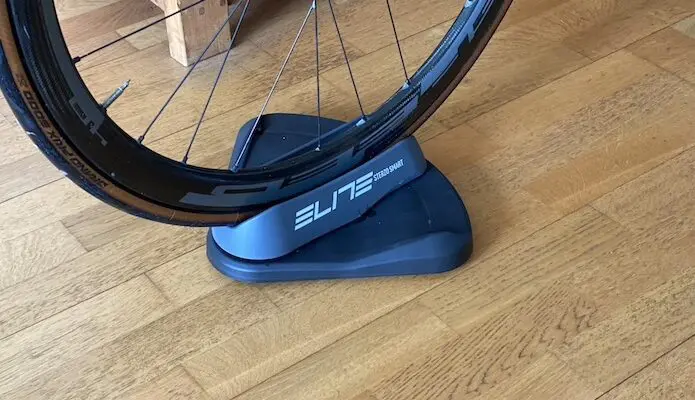
The Elite Sterzo Smart is the first dedicated steering device supported by Zwift. It’s an accessory sold for around €80, which replaces the usual front wheel support for indoor trainers that require it. It is also very likely that very soon, a smart bike like the Wahoo Kickr Bike will also be compatible, if we are to believe the buttons designed around the steering.
=> SEE ALSO: Buy Elite Sterzo Smart for €76.99
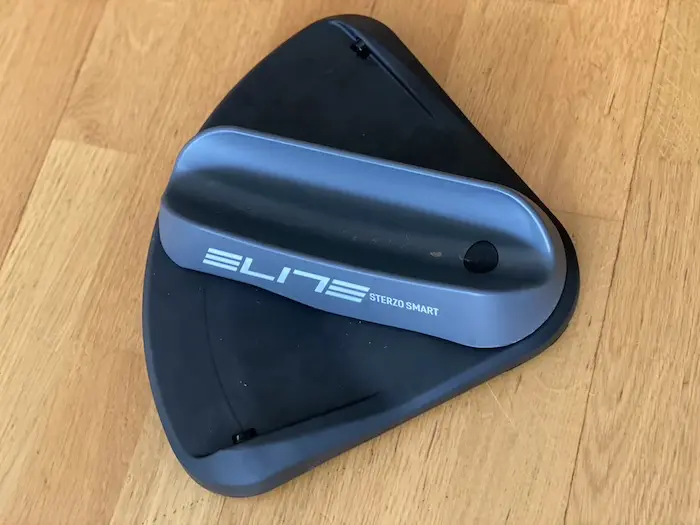
The Elite Sterzo Smart plate works via Bluetooth, and it also offers ANT+. This allows the device to be connected to all Zwift platforms (Android, iOS, Windows, Mac). It is powered by AAA batteries and Elite promises 500 hours of battery life. It can accommodate tires up to 56 mm in width, and it allows the front wheel to pivot up to 36°, which is much more than what is actually done on the road, unless you want to make a U-turn.
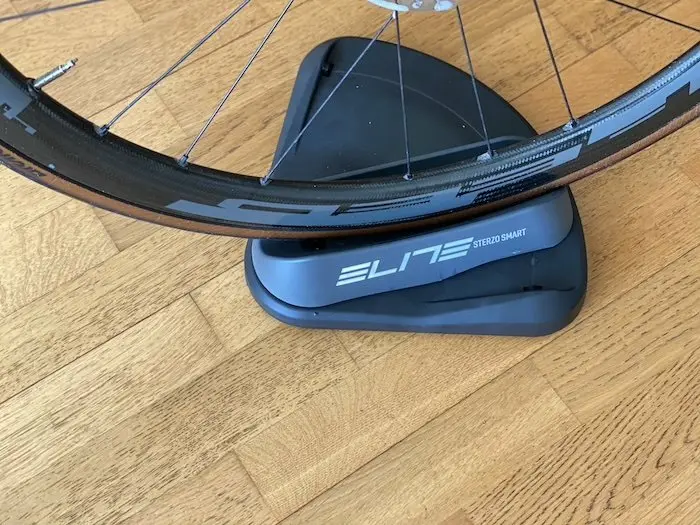
The Sterzo Smart allows you to select the area of the road where you want to ride and it accompanies the cyclist’s movements out of the saddle. Thanks to these characteristics, it is thus possible to virtually cut corners in order to opt for a better trajectory in Zwift, and especially to move laterally on the lane in order to benefit from better shelter behind other Zwifters. Elite offers another version of the Sterzo, but which is not connected, and which simply serves to free the front wheel once the bike is installed on the indoor trainer.
Getting started with the Elite Sterzo Smart
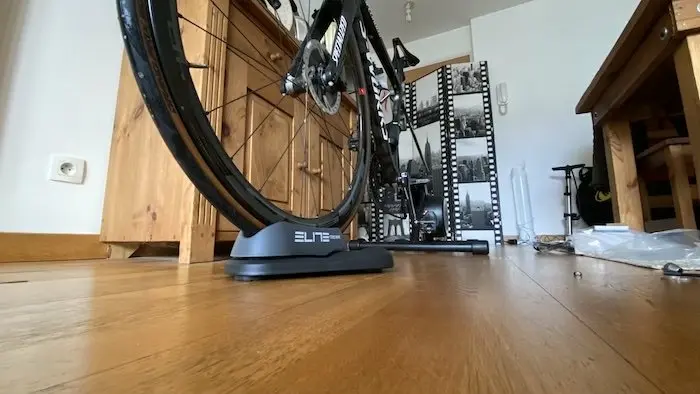
The Sterzo Smart front wheel support is very simple to connect and use. As soon as the plate pivots, a small blue LED light indicates that the device is ready to operate. A green light indicates that it is paired with the application. To do this, simply go to the Zwift home screen, where connected devices (indoor trainer, heart rate, cadence, power sensors) are grouped, and an icon symbolizing the Sterzo Smart appears by simply manipulating the support with the front wheel. Be careful with the direction of installation, with the tip of the triangle facing forward. In case of installation in the wrong direction, the steering is simply reversed.
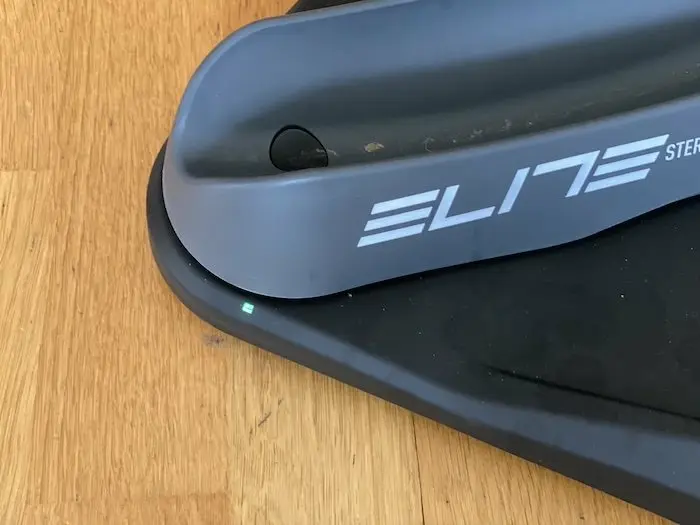
The Sterzo is designed with a spring system so that the wheel is recentered when you release pressure on the handlebars. A comfortable feature, which allows your avatar to stay in the area of the road you have chosen, without getting stuck on the right or left side. However, it is better to place the Sterzo Smart on a rough or soft surface such as a mat, to prevent the support from deviating slightly from its axis during the session. In such a case, the experience can be disturbed.
How the Sterzo Smart works in Zwift
The Sterzo Smart does not allow all extravagances in the Zwift application, and steering possibilities remain limited. As we have seen, you can navigate within your lane, but you cannot leave it. It is therefore impossible to hit a wall, go off-road, or ride against traffic facing other cyclists. You also cannot make a U-turn. You can zigzag in the middle of the lane when it is clear, but you cannot crowd another avatar, or even cross a peloton from left to right or right to left if there are other cyclists next to you. As in a real peloton, you sometimes have to slow down to go back behind, to bypass the pack, or find better shelter. But the experience is quite interesting for novices, as it approaches reality in the way you have to make small releases or small accelerations in a peloton to keep pace while trying to save energy.
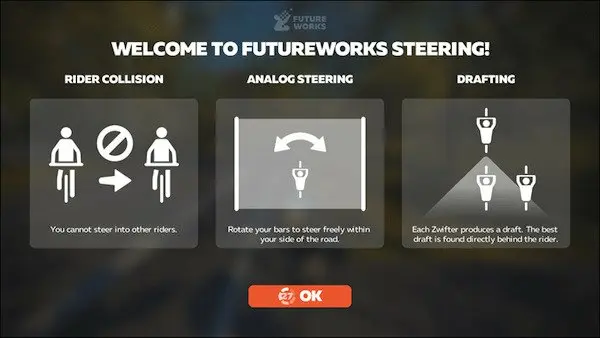
In a series of turns, and when you are in single file, by default the application imposes its own trajectories (which are not always realistic, by the way). Thanks to the Sterzo Smart, it is possible to anticipate the avatar’s placement to avoid being hindered, then to dive to the apex and exit in the middle of the lane, which allows you to gain a few places in the process. This is an undeniable advantage in certain virtual competitions.
On the other hand, when the Sterzo Smart is coupled with Zwift, the application no longer manages the steering on the lane for you, and if you let your attention wander, you can find yourself stuck on one side or the other of the road, which can either lengthen the course distance or make you lose the shelter of the peloton.
The Sterzo Smart for what use?
The Sterzo Smart front wheel support naturally works on any free training on Zwift, and on certain events. But not on all of them. Indeed, given the advantage provided by the device, many virtual competitions do not take the Sterzo Smart into account, and it is therefore impossible to use the changes of direction. Even some social rides do not take the Sterzo Smart into account. Surely for a question of fairness. And because there are not enough users who benefit from this option. This is surprising from Zwift when we already know the enormous differences that exist between indoor trainers, and which do not always reflect the reality of the user’s level. So the lack of fairness already exists on Zwift anyway.
That’s not the most important thing from our point of view. The Sterzo Smart improves the realism of the experience and adds a layer of skill to master during practice. It contributes to involvement in the game and offers a new way to make time fly during home training. And that’s already a lot.
The Elite Sterzo Smart in brief… Rating: ***** Pros: easy connectivity, responsiveness in Zwift, improved riding and positioning skills in a group, price Price: €89 Contact: elite-it.com |
=> SEE ALSO: All our Gear articles
Share the post "Elite Sterzo Smart Review"