Share the post "Elite Drivo II interactive indoor trainer review"
By Guillaume Judas – Photos: @Sylvain Pigeau – 3bikes.fr

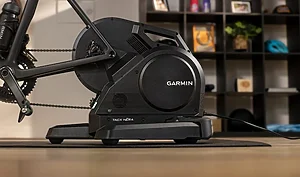
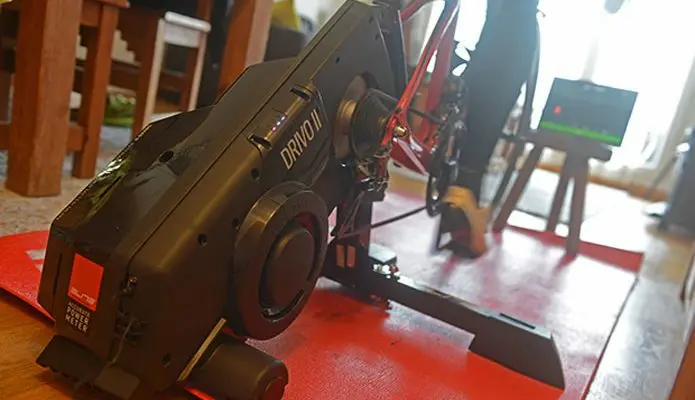
Not a revolution, but a few evolutions for this second generation of the Drivo: a color change (black is more aesthetic than the white of the previous model, and dirt or oil splashes are less visible), a more practical foot design to ensure both the stability of the device and easy storage, and an integrated power meter announced with an accuracy of +/- 0.5%, which would make it the most accurate device on the market. The Drivo II competes with other models highly prized by cycling “geeks”, such as the Tacx Neo Smart or the Wahoo Kickr. It is slightly more high-end than the Direto, even if, having used both devices episodically, we believe the difference is not striking.

Let’s say the Drivo II feels more “solid”, and it also benefits from a practical handle on its upper part for moving it (instead of being on the side). Moreover, with an equivalent weight (21 kg nonetheless), it seems less heavy at first glance because the weight is distributed differently with a lower center of gravity. And unlike its little brother, it does not require a front wheel support. For the rest, the difference is mainly justified for those who make the indoor trainer an essential part of their preparation, who see power accuracy as indispensable training data, or who ride on virtual courses. Because it must be admitted that the responsiveness of the device, capable of simulating a slope from 0 to 24% in three seconds, is truly astonishing.
A little assembly
Unlike the Wahoo, the Drivo II requires a little assembly once out of the box. Nothing too complicated, especially since the necessary wrenches are provided to install the feet. About fifteen minutes are enough. However, like all direct-drive indoor trainers, it requires the installation of a cassette, which you must therefore have, or acquire if you only have one bike and one pair of wheels. The same goes for the mandatory tools for mounting and dismounting the cassette.

For those who are not yet familiar with the latest technologies in this area, plan for the same gearing as on the road.
For those who are not yet familiar with the latest technologies in this area, plan for the same gearing as on the road. Really. Because if you plan to simulate a course with difficulties, you might remember it. The Drivo II is not a friendly roller for spinning your legs, but rather a high-level training device.

Regarding frame attachment, you still have to choose between a quick release (supplied) or a thru-axle for disc brake bikes. And since the latter have a wider hub spacing than rim-brake bikes, a spacer is provided for this purpose. Once the indoor trainer is assembled and the feet are unfolded, it is ideally placed on a dedicated mat (optional accessory), which has the advantage of reducing vibrations and protecting the apartment floor if you use the same bike as outdoors the rest of the time. This mat is also designed to be relatively wide, because the Drivo II, like the Direto for that matter, is the indoor trainer that takes up the most space on the market once in operation (approximately 85 x 85 cm).

Finally, note that the Drivo II comes with an additional cadence sensor to be placed on the bike, but we did not understand its usefulness, since the cadence information delivered by the device and transmitted to the computer proved to be perfectly equivalent to that transmitted by the crankset and recorded on the bike computer, as we will see later.
Compatible with all connections
To function as a Smart Trainer, the Drivo II must be plugged into an electrical outlet. Nevertheless, it is also accessible without being plugged in, providing ample resistance for a sustained warm-up before a race, for example. This resistance is simply exponential with the gear ratio and pedaling cadence used, with the device providing no information in this case. Don’t stray too far from an outlet, as the power cord is 2.80 m long. This is certainly sufficient in most apartments, but sometimes less practical for those who ride in the garage.

Once plugged in, the device indicates with a small sound that it is powered on, as well as by the presence of LED lights. The red light indicates that the device is on, the other two indicate ANT+ and/or Bluetooth connection with compatible devices. Concretely, it communicates with any computer, smartphone, or tablet via Bluetooth, and via ANT+ with a Garmin bike computer, for example. It can, of course, also communicate with the devices mentioned above via ANT+, but on the condition that they have an ANT key. Via ANT+, it sends power, cadence, and speed information to the bike computer. But if everything seems consistent for the first two elements via this method, the speed ( and therefore the distance of the ride) is completely erratic on a Garmin 820, without us being able to understand the problem. No matter, because in the end, we used the Garmin to compare the power delivered by the crankset with that of the Drivo II on various applications. For the rest, the Drivo II is compatible with all popular software or applications, such as Zwift, TrainerRoad, Bkool, Rouvy, or Kinomap, for example. Starting with the Elite MyE-Training application, available for PC, Mac, tablet, or smartphone.
The Elite app is the Drivo II’s weak point
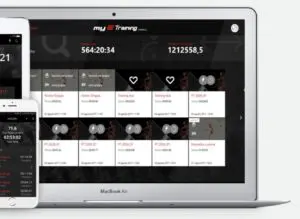 The indoor trainer comes with an activation code for a 36-month subscription to the application. This is primarily used to calibrate the power meter. For those who are not tech-savvy, it must be admitted that MyEtraining is not very ergonomic, with unclear explanations. For calibration, for example, the process involves about ten minutes of pedaling without any progress bar, and therefore with constant doubt that the connection is not working. This was already the case with the Direto. But fortunately, with the Drivo II, this only needs to be done once.
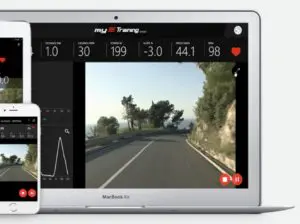 For the rest, MyEtraining allows you to follow programmed sessions with power, create virtual routes, or follow video routes. However, to do this, already having an account on Bkool, we preferred this option, finding the functionalities much more accessible. Note that each of these applications (including Zwift) costs around €10 per month. MyEtraining also offers advanced features such as pedaling analysis, but we were unable to test these due to a recurring bug in the application.

Power user guide
We can identify three ways to use power on this type of device, delivered by an OTS optical sensor, and factory calibrated:
- The power provided during the effort by accelerating on a neutral slope (as on the road and on the flat) in “free” training.
- Slope simulation: connected to an application and a virtual course, the Drivo II simulates slope variations (up to 24%) and thus the resistance opposing the pedal stroke.
- ERG mode: setting a specific resistance mode, whatever the gear ratio or cadence you choose, the device applies the chosen power.
Elite claims a resistance of up to 2300 watts at 40 km/h, but in reality, this is just a detail because it’s already a power level difficult for the world’s best sprinters to reach for a few seconds. However, if you program a session of this type from an application with your eyes bigger than your stomach (for example, a 30/30 session with a target power or X minutes at X watts), it is likely that you will not be able to complete the session. Whereas in simulation mode, even on a virtually climbed pass with a 10% gradient, you can always slow down, provided you use the appropriate gears.
If your eyes are bigger than your stomach,
it is likely that you will not be able to
reach the end of the session.
Regarding the accuracy of the integrated power meter, we chose to compare each of our sessions with the power meter installed on the bike, which was connected to the Garmin bike computer via ANT+. To avoid conflicts, we always refused ANT+ pairing of the Drivo II with the Garmin (especially since the indicated speed is erratic in this case, as mentioned above), and chose Bluetooth for connection with the computer. Whether for exercise calibration or effort management, no problems: the two power curves follow each other, both on a stabilized effort and on a sudden acceleration.

The cadence is identical on both screens, whereas it could experience fluctuations with older Elite Smart Trainers (like the Real Turbo Muin from a few years ago), which in that case required the use of an additional cadence sensor for more accuracy. At the end of each session, we compared the average power obtained with the Drivo II on Bkool and the Quarq power meter on the Garmin, with never more than a 2-watt average difference each time. That is to say, almost nothing. And above all, this comparison method is always limited by the accuracy percentages of the two devices (0.5% claimed for the Drivo II, and 1.5% claimed for the Quarq). Suffice to say that for us, it’s all good. And entirely consistent with what can be expected from an accurate power meter to train correctly and evaluate progress from week to week.
The Drivo II is entirely consistent with what can be expected from an accurate power meter
to train correctly and
evaluate progress from week to week.
A quick reminder about power on an indoor trainer: as we mentioned in our article How to choose an indoor trainer, the power developed during this type of session is slightly underestimated compared to an equivalent effort on the road. According to Antoine Vayer, coach: “The power produced on an indoor trainer is different from that on the road. There are not the same frictions or resistance to forward movement. The power on an indoor trainer, whether measured by a power meter on the bike or by the device itself, can only be compared to power on an indoor trainer. If you want to define a point of comparison, you would have to perform a test with a stable heart rate on the road and on the indoor trainer, and try to extract a standard deviation.” For our part, we estimate this difference to be around 10% power. This does not mean that indoor trainer sessions are unproductive. But the MAP and threshold values are lower than those obtained on the road, and to prevent sessions from being too hard and ultimately not producing the desired effect, it is better to evaluate these same thresholds in real-world conditions of use.
The noise
As this type of device is intended for indoor use, it is best to evaluate its noise level. The Elite Drivo II is not top of its class in this area, far behind the Tacx Neo. First, you have to contend with the noise of the bike’s drivetrain, but this is not really bothersome outside of a small room. However, when on a simulated course you increase speed on the flat and/or with a large gear, a fan noise is added due to the ribbed belt connecting the device’s transmission system to the resistance unit, which forces you to turn up the TV volume.
This is not necessarily linked to the power supplied, because on simulated slopes such as on a climb at 300 watts, or on any other effort requiring some force, the noise is quite acceptable. If you ride late at night or early in the morning, therefore, prefer hilly terrain so as not to disturb neighbors or other occupants of the house.

In action
Tested on MyEtraining rather than Zwift, then on Bkool, the Drivo II proved to be fully compliant with our expectations. Zwift is not quite our cup of tea, but we may come back to it later with the opinion of another 3bikes.fr tester, first for the virtual confrontation aspect with other users who don’t necessarily ride with such precise devices, and then because of a certain inertia of the application (during starts or changes of pace). In short, on Bkool you can either create Workouts with programmed sessions over a distance, a difficulty with chosen gradients, or in ERG mode with exercises at a targeted intensity, or race on a velodrome, or reproduce routes from a GPS track and/or a video. With a recent computer, the Drivo II is perfectly and quickly recognized via Bluetooth. The session starts without inertia, and each change in gradient is directly felt under the pedals, forcing you to use the derailleur.
On the bike, the feel is natural,
with smooth pedaling.
On the bike, the feel is natural, with smooth pedaling. The front wheel (which remains free with an unlocked steering) limits the risk of frame damage, and it is still possible to ride out of the saddle with a very slight rocking motion felt in this case. We simulated routes from GPS tracks of rides done a few days earlier. With an equivalent perceived difficulty level, and an execution time close to two or three minutes over two hours. By simulating a difficult mountain route (52 km and a little over two hours of effort), we compared the ascent time of a pass already climbed in the past. 40 seconds difference (faster) over 9 km of ascent: we can say that the simulation mode is quite realistic (“quite” because it does not take into account wind or road surface).
For the watts developed, however, we return to our previous observation. It’s a little less than in reality, with an equivalent perceived difficulty level. However, we note significant and consistent progress between the first tests at the end of November and these latest ones in mid-January. Where a 7% simulated slope on the Drivo II seemed difficult at the beginning of the period, it seems much more accessible 6 weeks later, in relation to the level of physical condition. The same goes for ERG mode, where we had to give up in the middle of a session at the beginning of the period for having been a little too ambitious, whereas the same session passed without too much difficulty at the end of the period.
We did not observe any drift in the indicated watts, always compared to the power meter on the crankset, calibrated before each session. The only small flaw that remains on the Drivo II compared to its competitors in virtual operating mode concerns its inability to simulate a descent. Basically, you then have to refer to the software’s calculation to deliver a coherent virtual speed. But in terms of pedaling, it will be impossible for you to spin with the 11-tooth cog without forcing. It is not capable of simulating a negative slope. This is ultimately a detail, because it is in ERG mode that the device proves to be the most impressive, with a responsiveness never seen before, for example, to switch from a resistance at the targeted power to the recovery period, and vice versa.

The Elite Drivo II is a clear success in terms of stability and delivered sensations, as well as in the accuracy of the integrated power meter. Even if this power remains relative to the discipline. You just need to know it, and calibrate your exercises accordingly. For the rest, we appreciate its design, its finish, and its practicality for a device of this type. It is a very effective training tool. For the (high) price of this type of device, however, we expect a more ergonomic and intuitive Elite application with fewer bugs. In short, a little more performant.

| ELITE DRIVO II INDOOR TRAINER |
| RATING: **** PROS: accurate integrated power meter, stability, finish, connectivity, compatibility CONS: noise at high speed, MyEtraining application Features: – Power meter accuracy: +/- 0.5% |
| CONTACT: www.elite.com |
-> SEE ALSO: All our Gear Reviews
Share the post "Elite Drivo II interactive indoor trainer review"